ISONQ · 3D Workspace
A reader for STEP files.
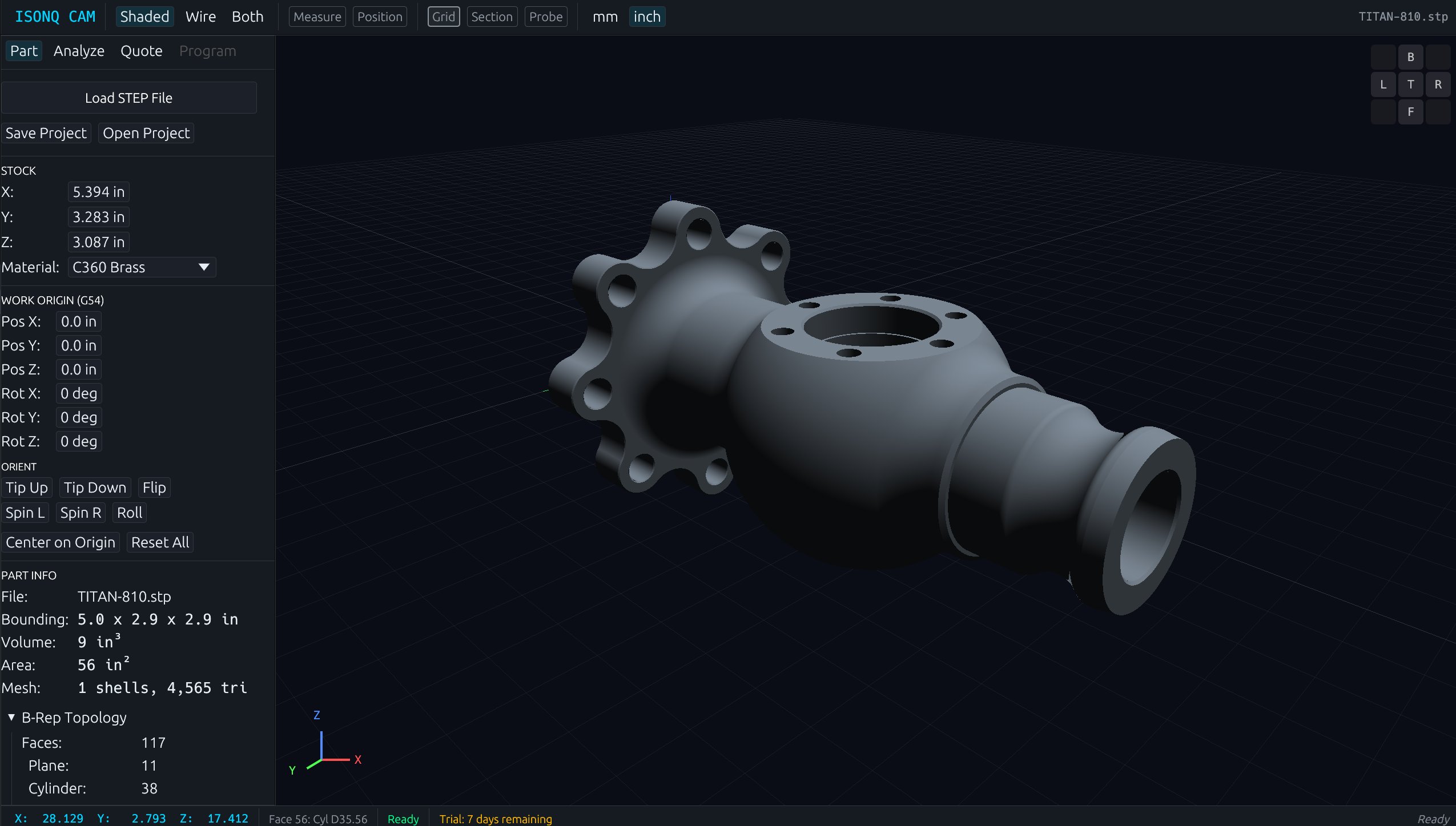
STEP files in. Features, holes, threads, and tolerances come out — measured, classified, and ready for the quote.
01 · Inspect
Six measurements, one cursor.
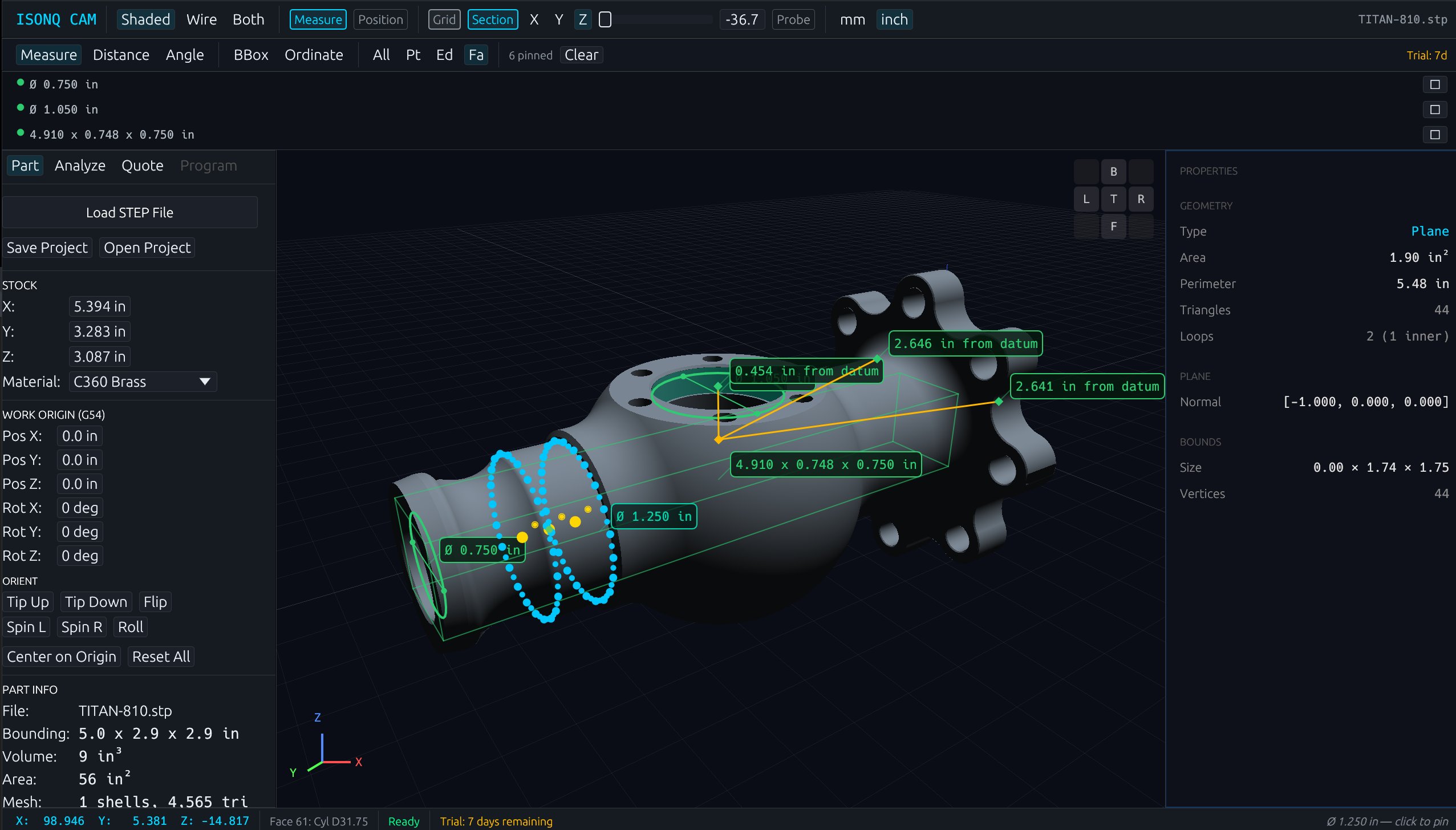
Smart Measure reads what the cursor is over — distance, diameter, angle, radius, surface area, ordinate — and picks the right tool automatically. Hover the part to see the measurement appear.
TITAN-810.stp
Inspect
Hover or click
live
02 · See Inside
The part, opened.
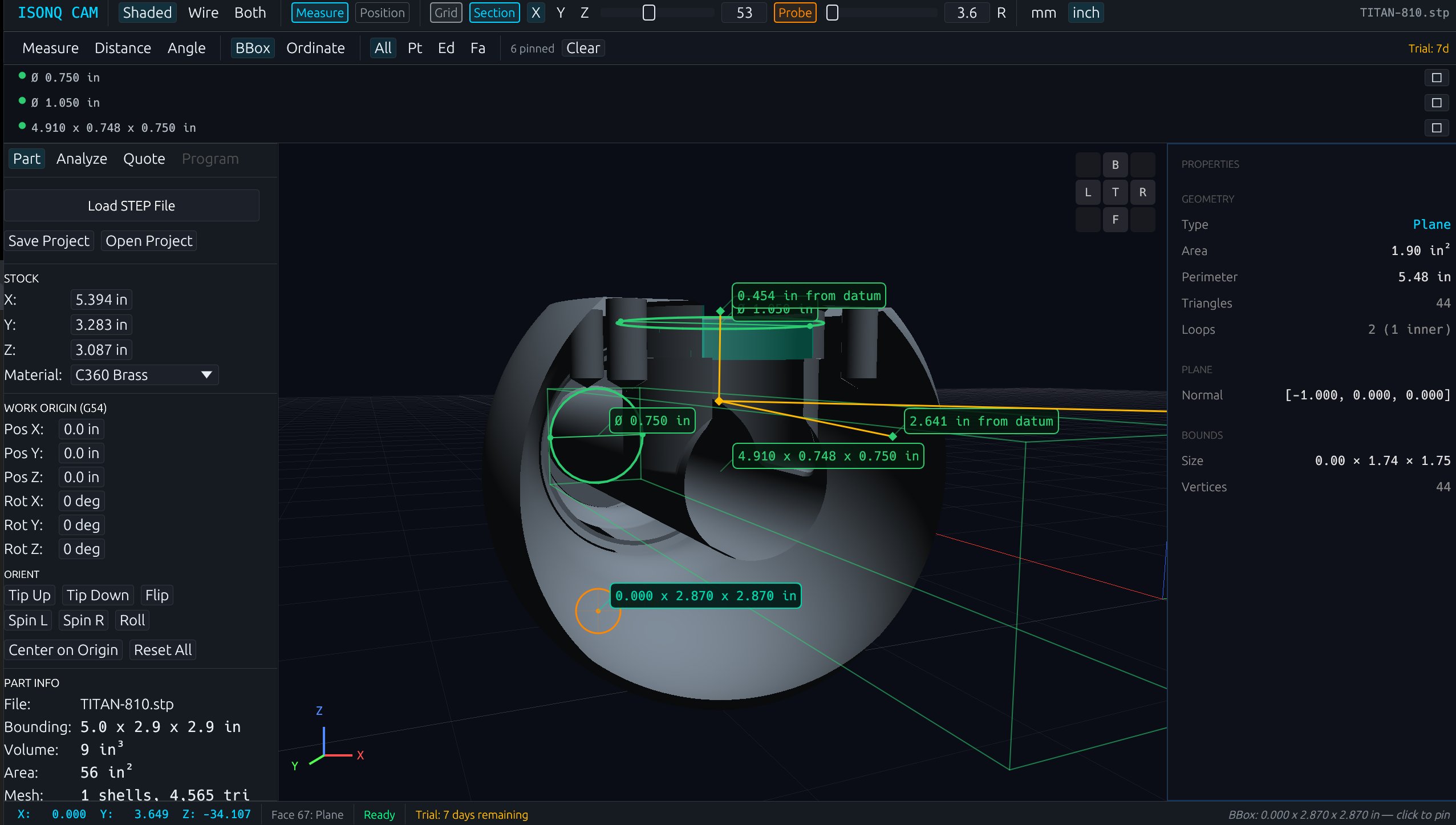
Slice the model with a section plane and walk the cut along any axis. Internal pockets, bores, and wall thicknesses become visible without changing the source geometry.
TITAN-810.stp
Section
Solid
Section
← drag →
live
03 · Auto-detect
Features, found.
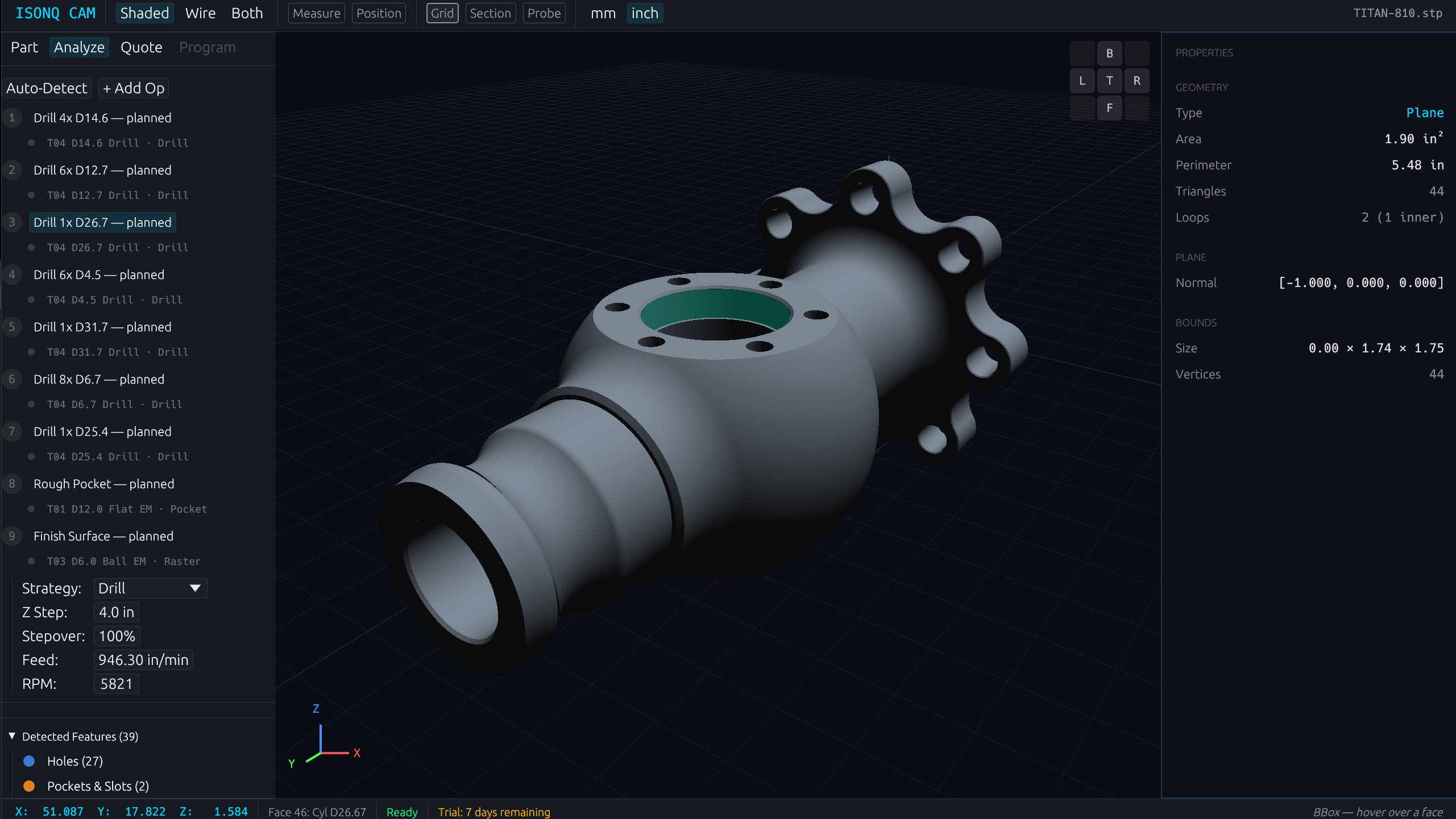
One pass over the geometry. Holes, pockets, threads, chamfers, and fillets are classified and counted. The summary feeds straight into the cost estimate — no markup, no manual count.
TITAN-810.stp
Analyzed
Operations
9 ops planned · drill, pocket, finish
Strategy
tool · feed · RPM per op
Detected
39 features · 27 holes · 2 pockets
2.4s