A reader for engineering drawings.
PDFs, DXFs, DWGs, and scanned prints go in. Every dimension, tolerance, thread, and note comes out as structured data.
Every dimension, extracted.
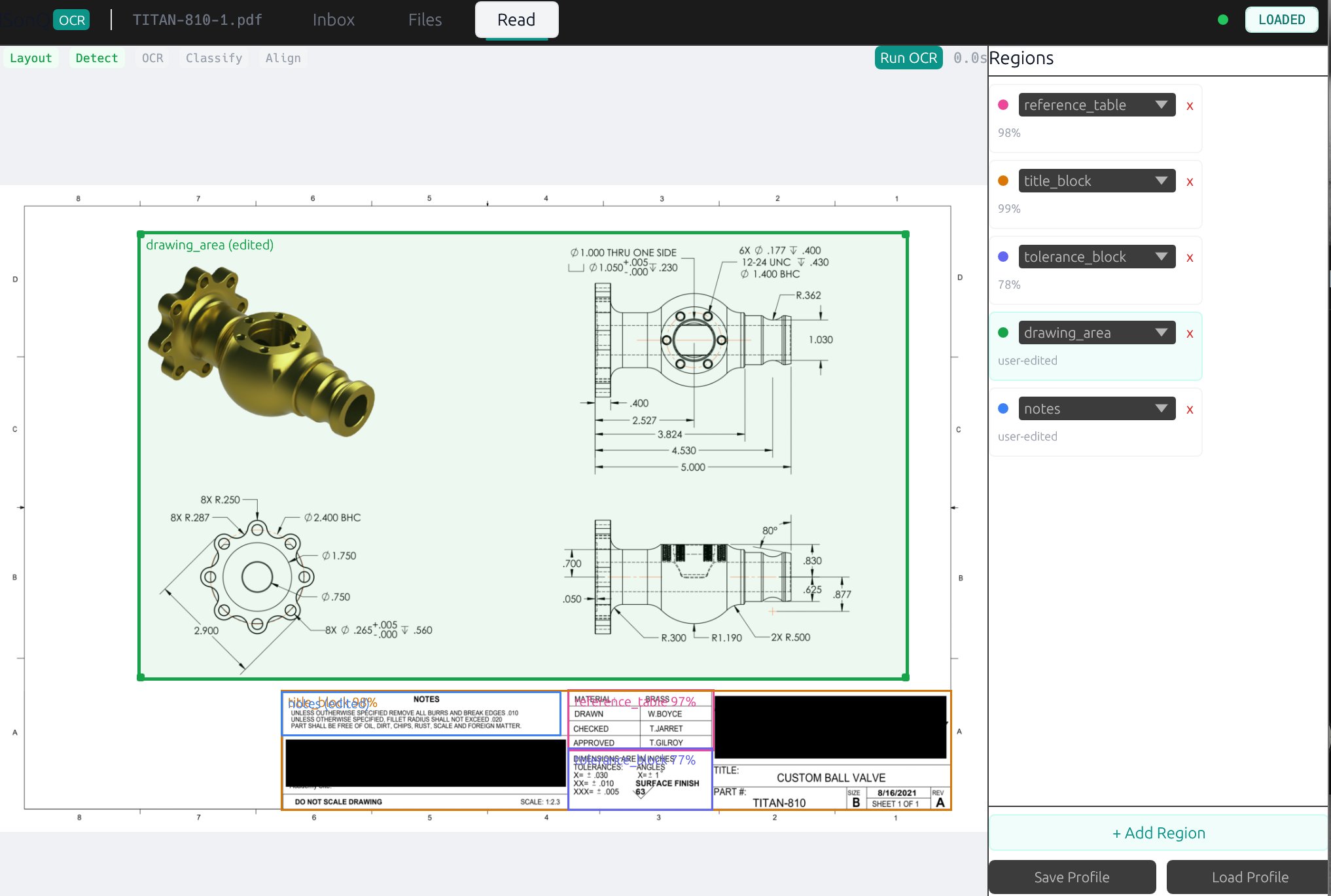
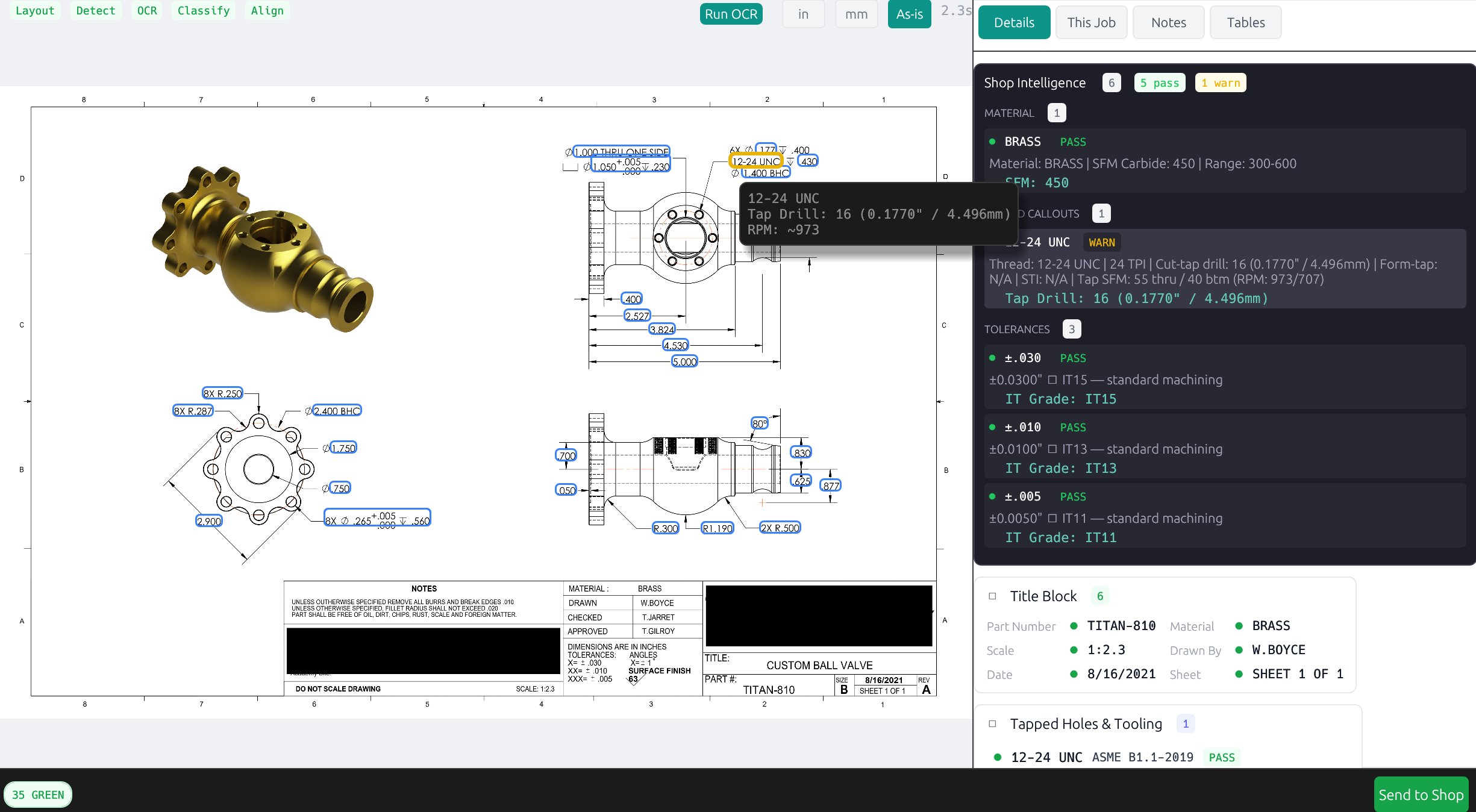
ISONQ classifies the regions on the page and pulls every dimension, tolerance, thread, and note from each. Extracted data surfaces as a floater anchored to the drawing — a condensed strip by default, click to see the full breakdown.
What OCR got wrong, a Profile already knew.
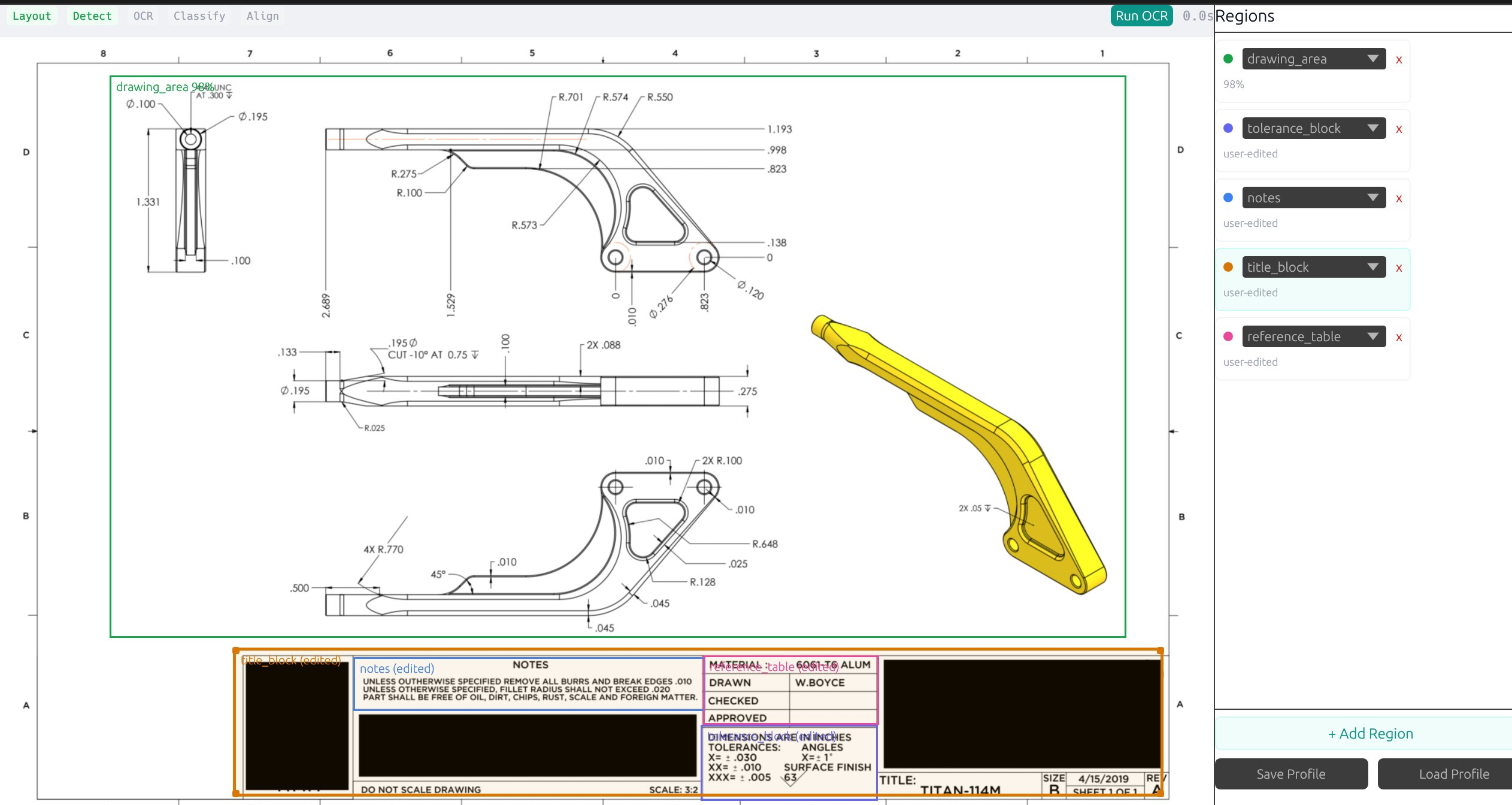
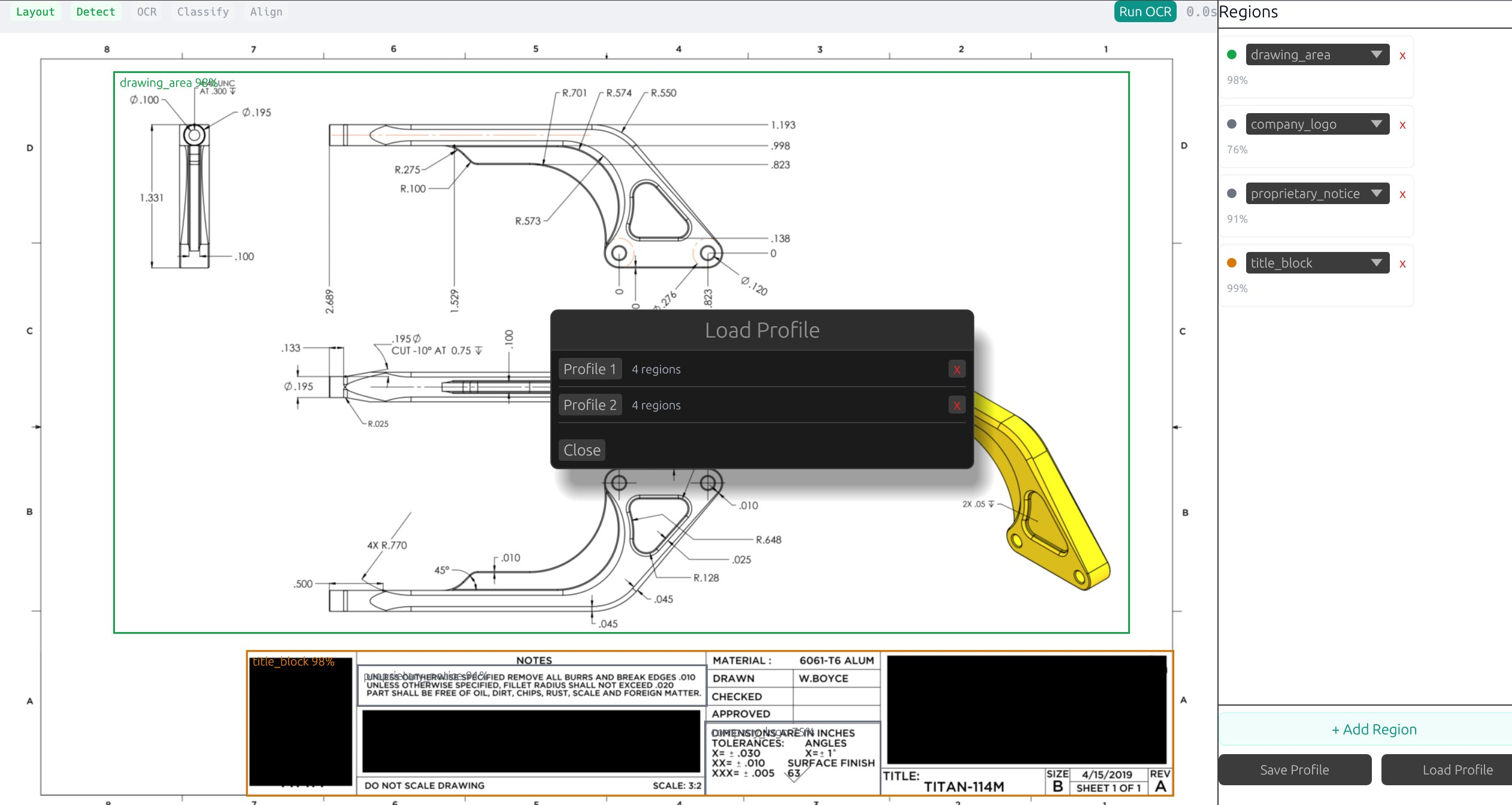
OCR alone misreads shop-specific regions — a reference table read as company_logo, a notes block read as proprietary_notice. ISONQ remembers the right layout per customer as a Region Profile. Drag the slider to see the correction.
Tolerances, graded.
Tap drills, RPM, and IT-band verdicts surface where the eye is already looking. Hover the thread on the drawing for the tooling specs; the panel grades every general tolerance against the band it falls into.