Where the print becomes the job.
The workspace starts at intake, moves through OCR and region control, then shifts by tab into the exact view needed for review, machining context, notes, and handoff.
Command center and sync.
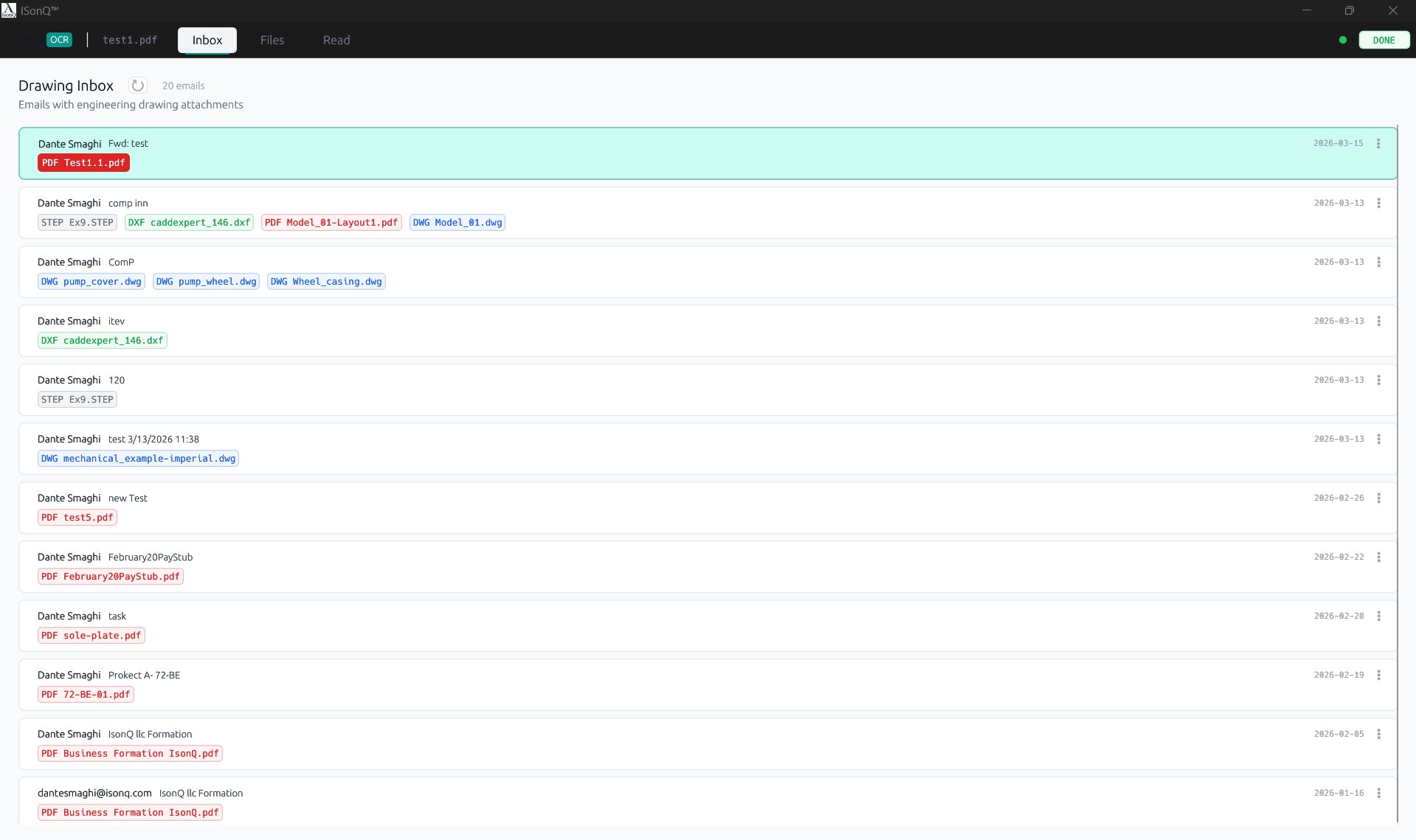
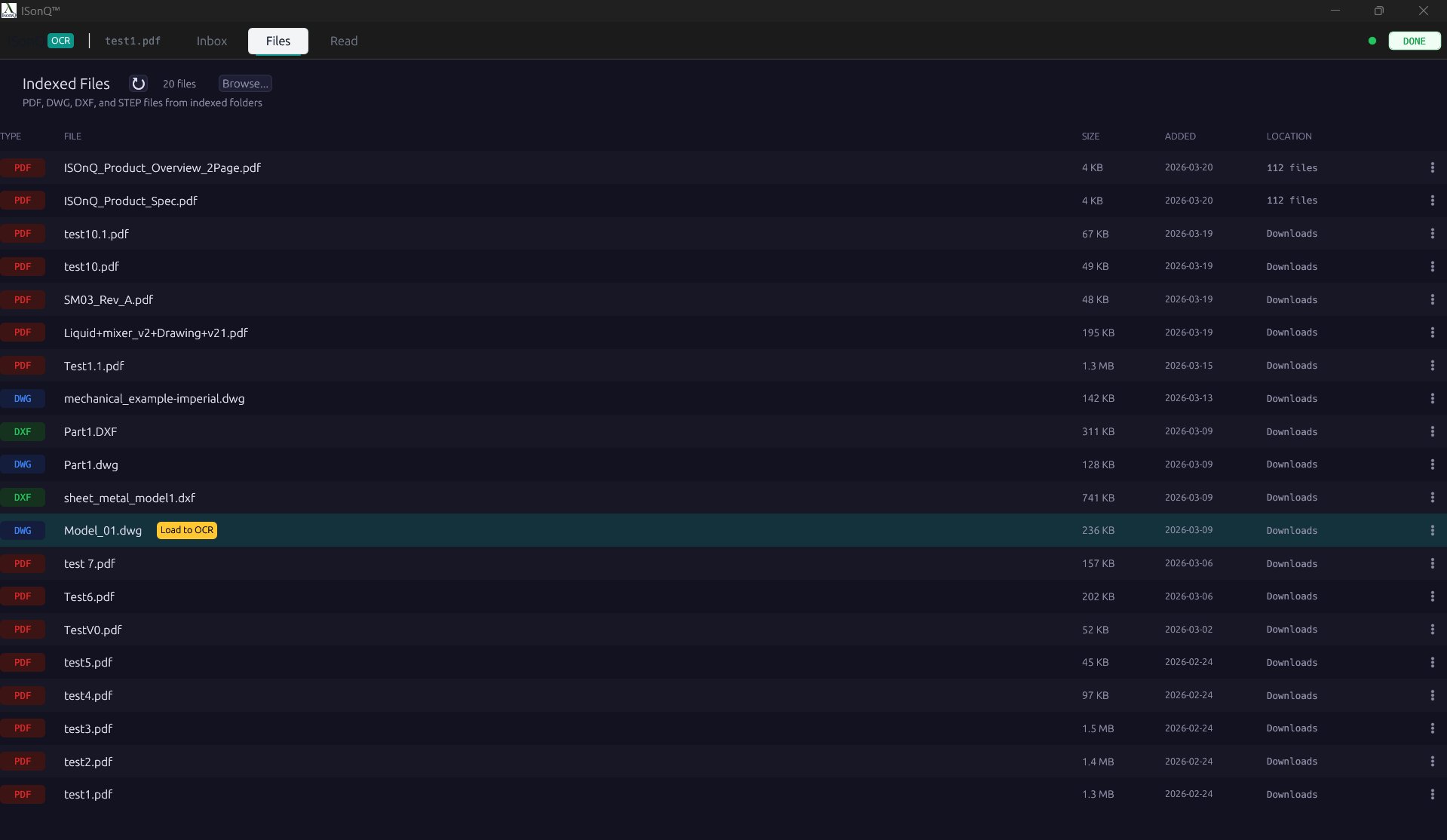
Inbox pulls only emails with engineering drawing attachments — PDF, DXF, DWG — and filters out everything else. The Files tab indexes local folders the same way, surfacing only drawing formats.
Editable region control.
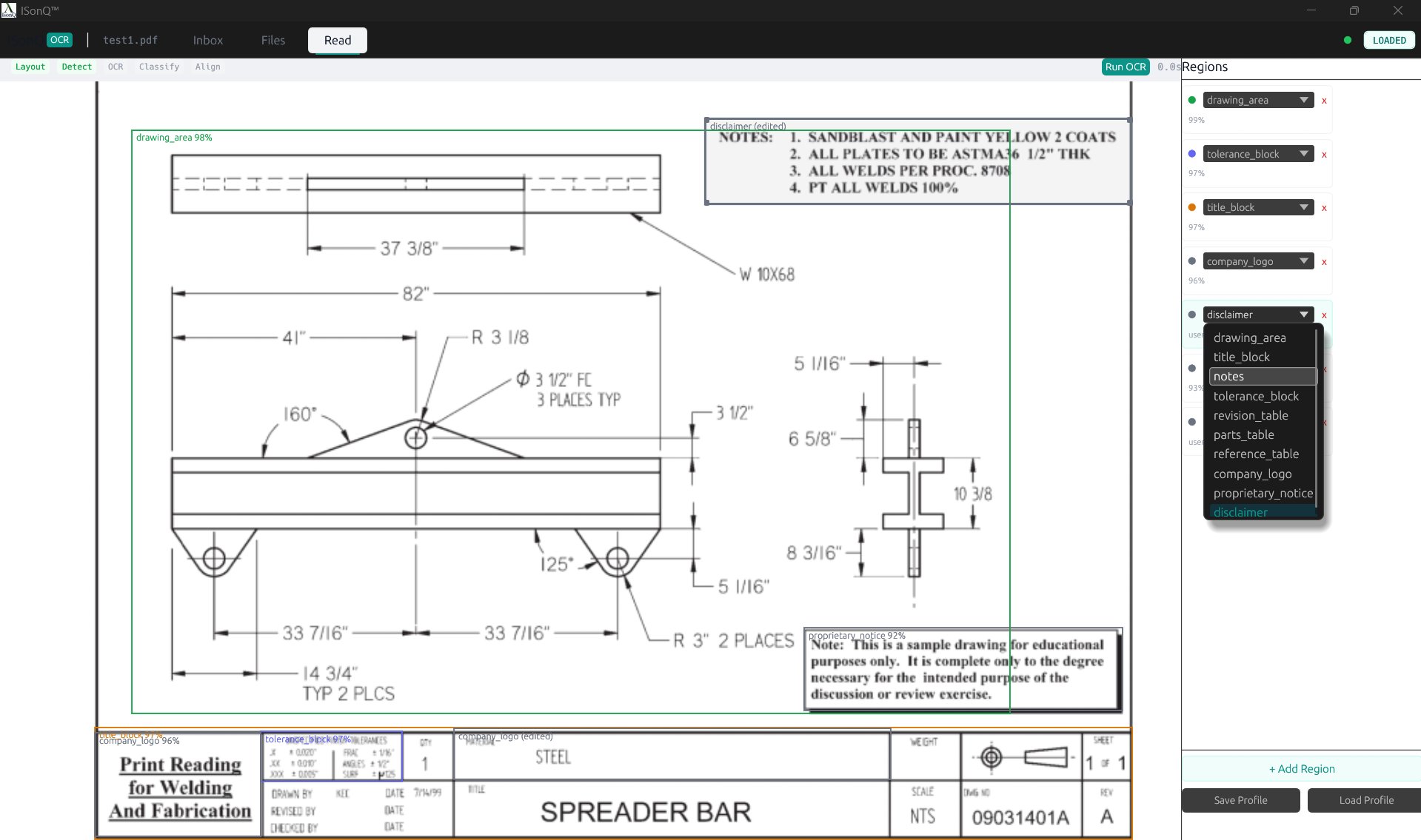
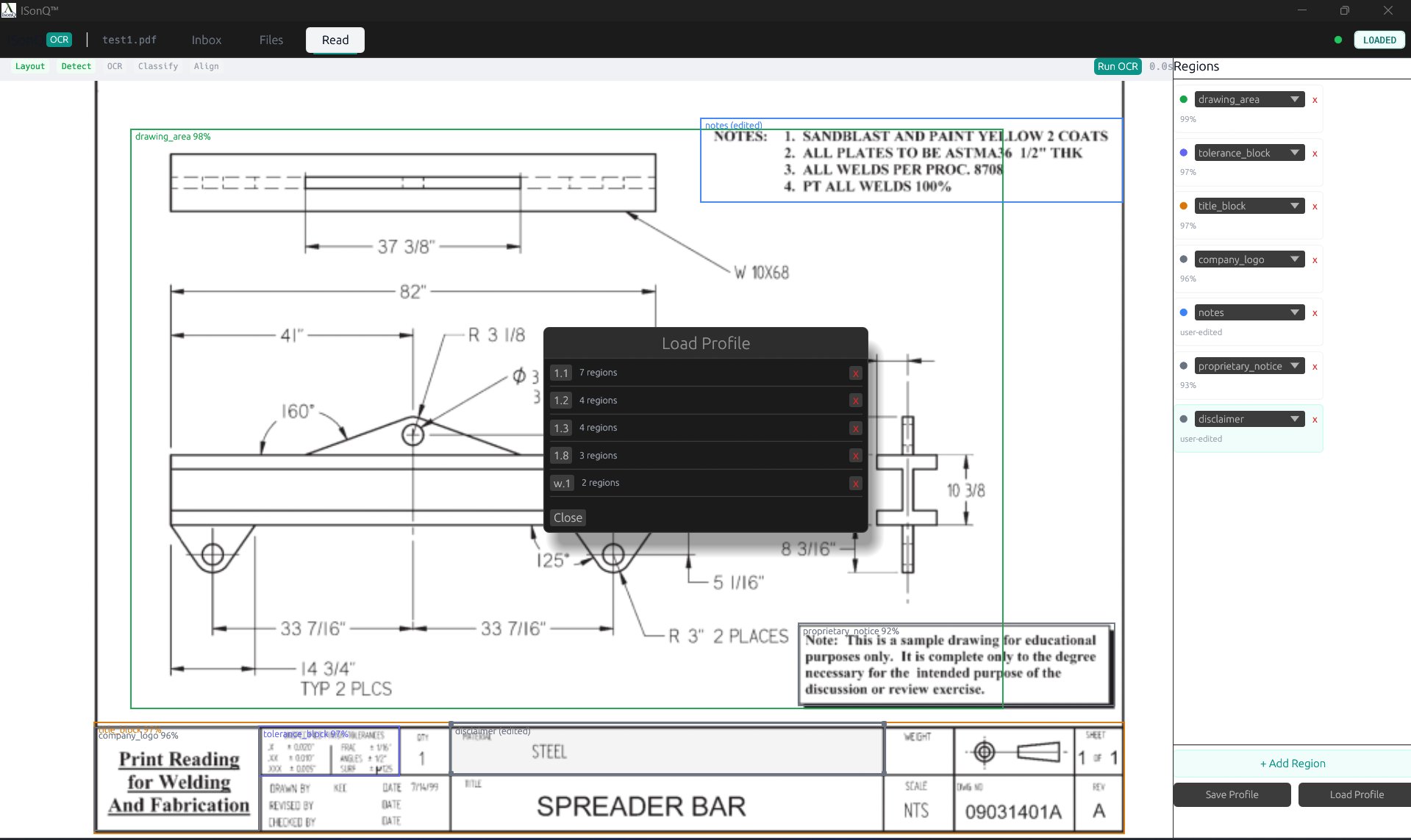
Regions are detected automatically but the machinist stays in control. Labels can be reclassified, boundaries adjusted, and the layout saved as a reusable profile.
The drawing changes with the tab.
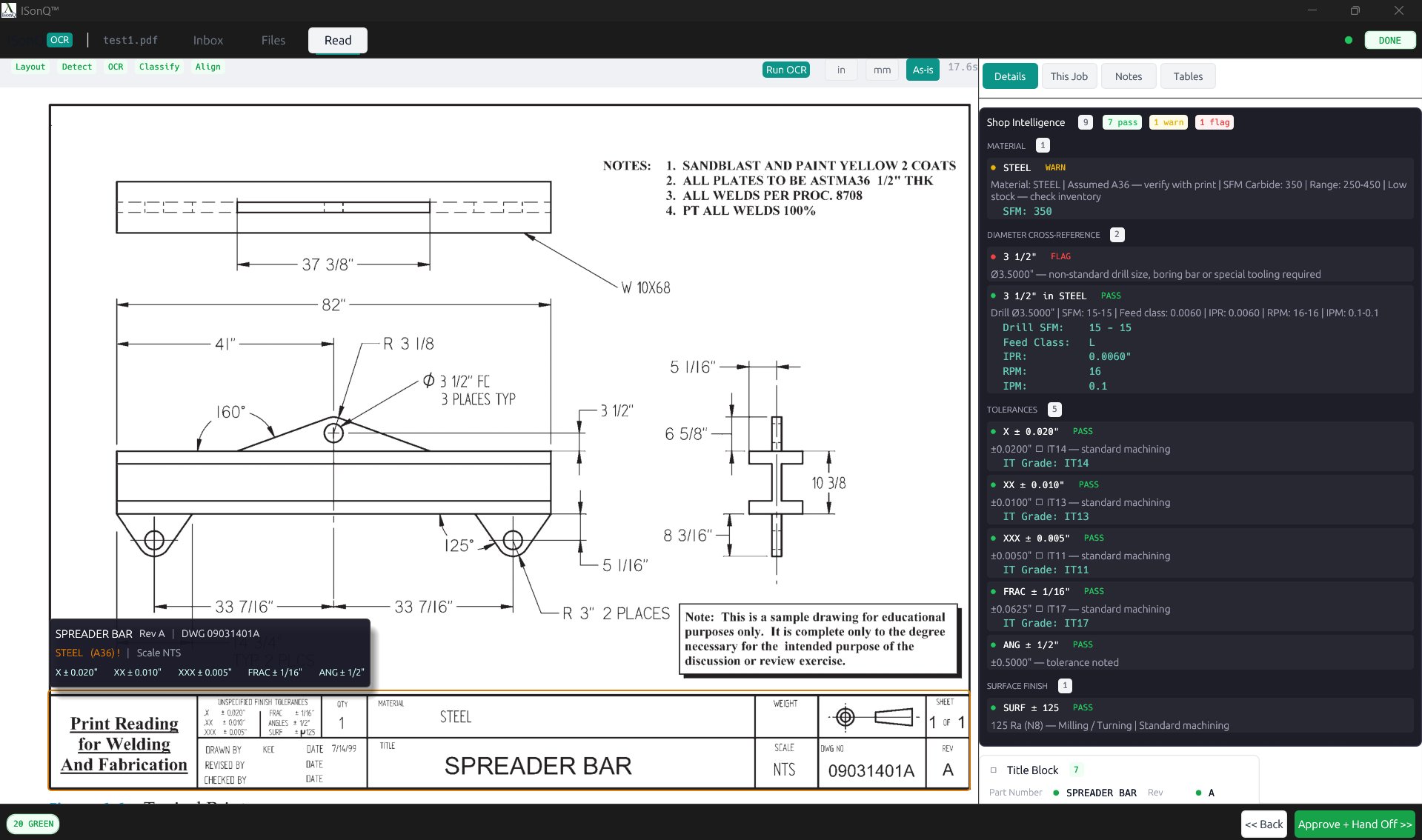
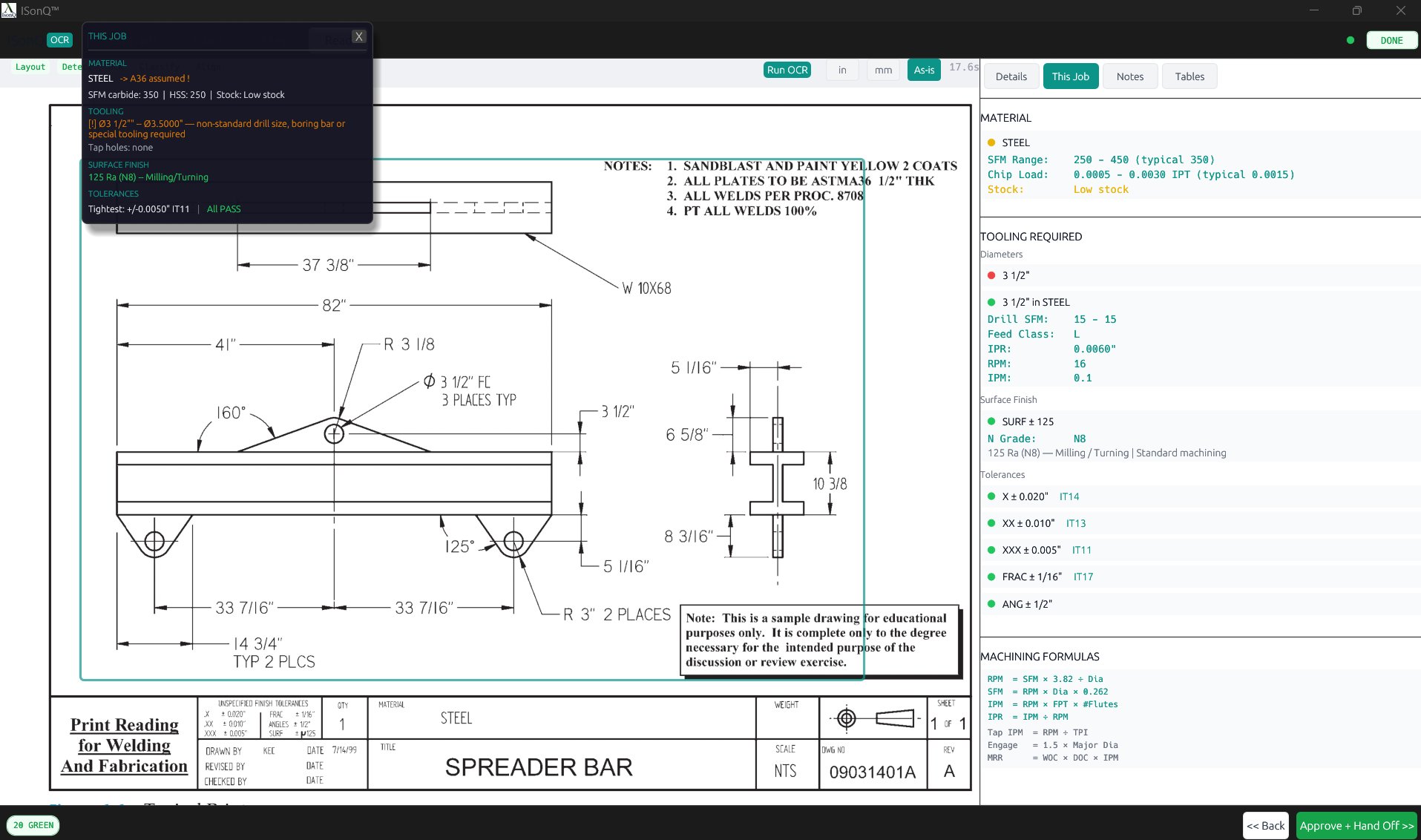
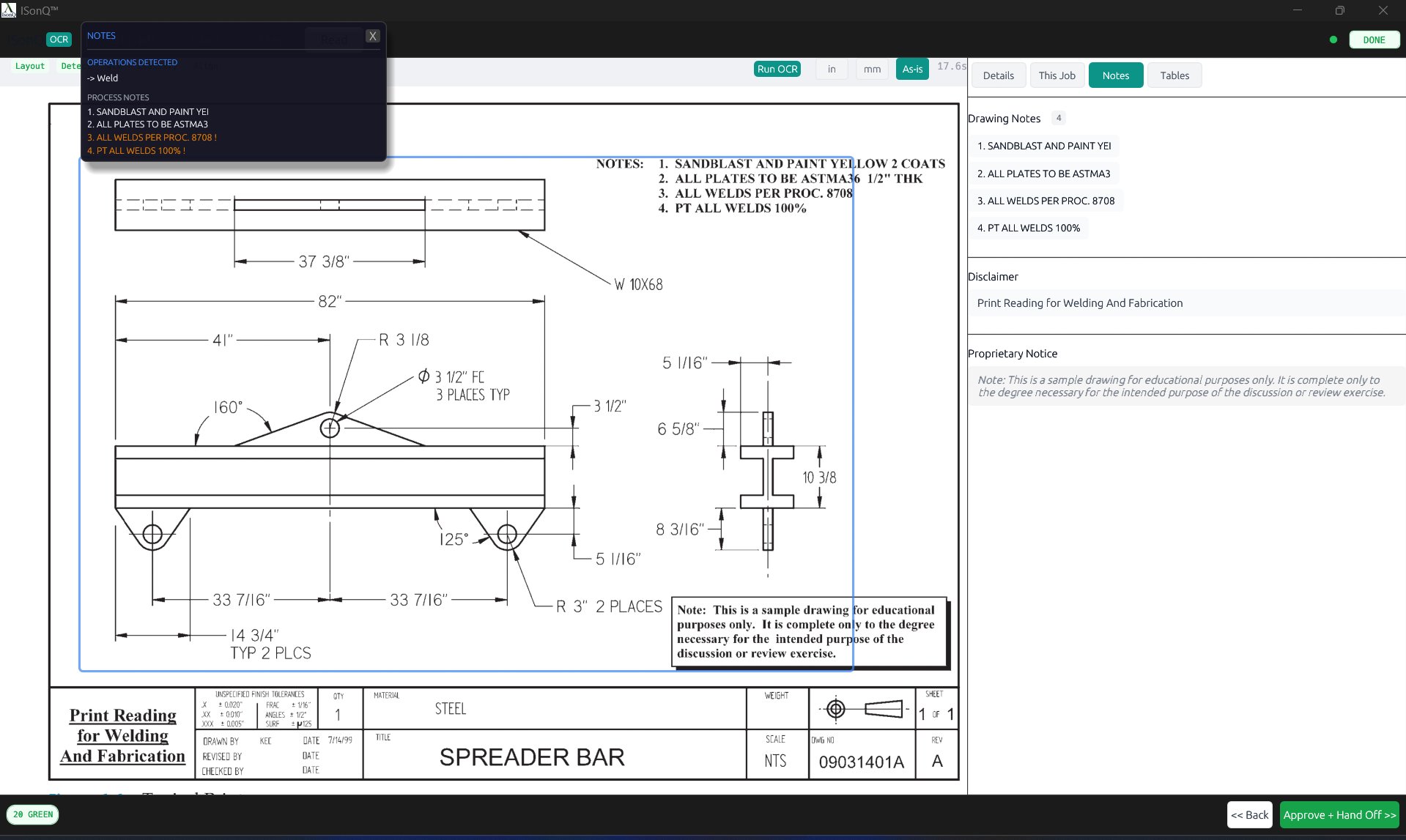
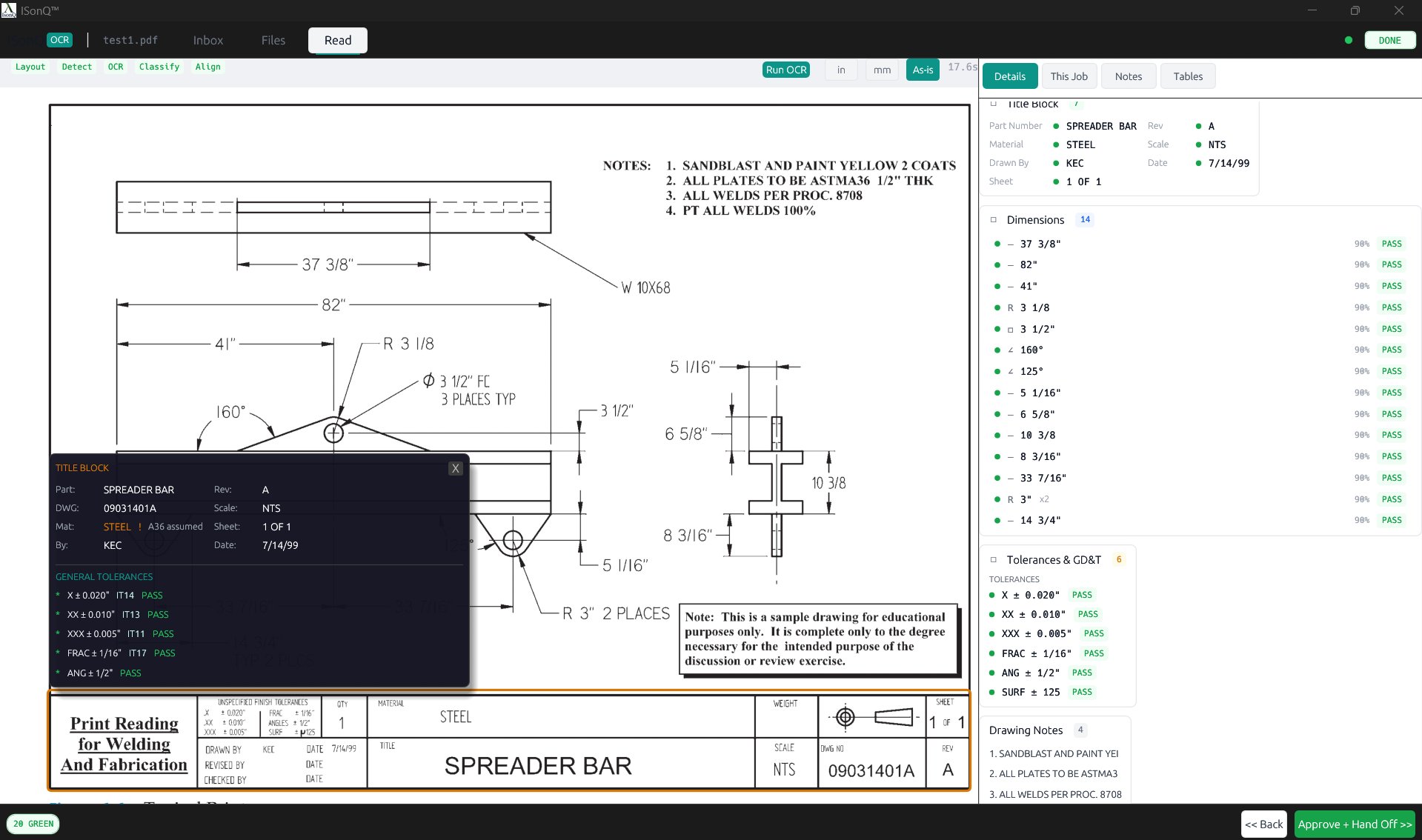
Hovering the print triggers a floater. The content shifts with the active tab. Hover gives a condensed scan. Click expands the full context.
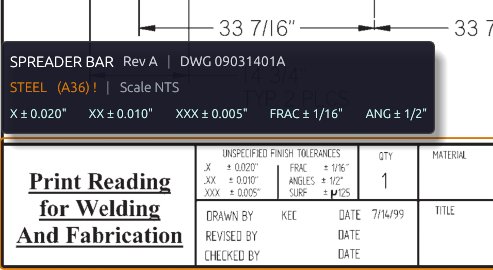
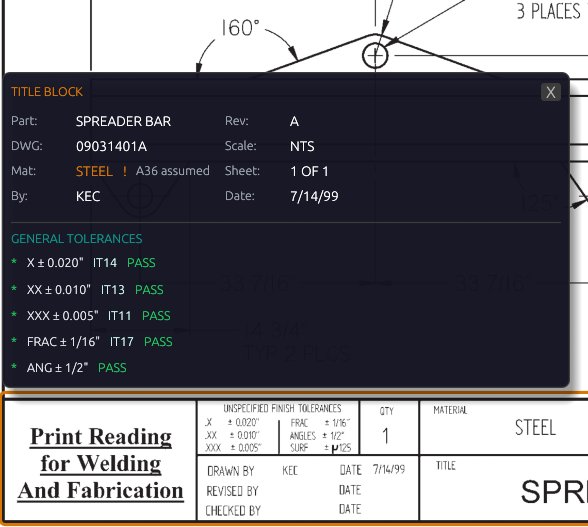
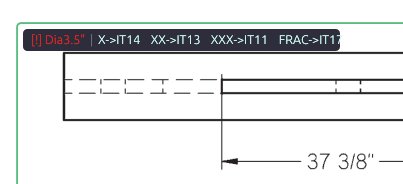
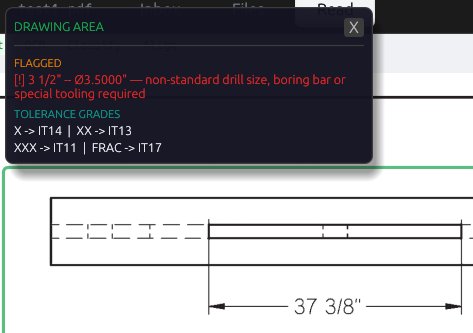
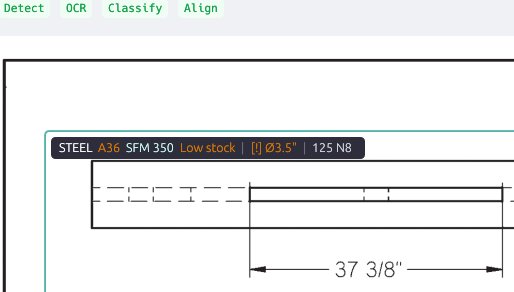
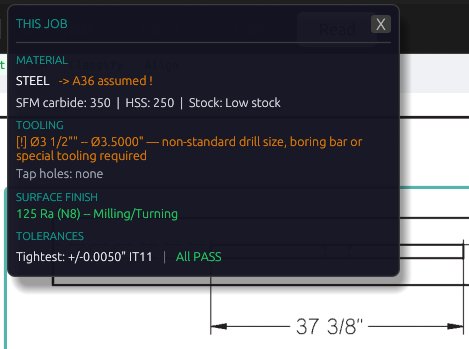
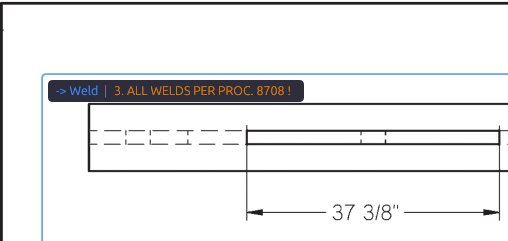
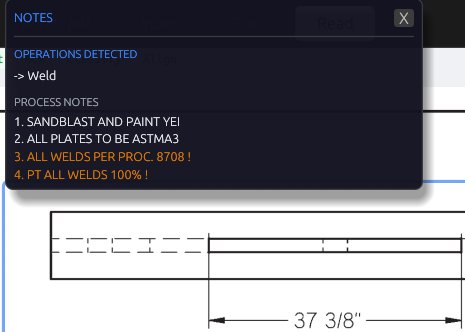
Three tabs. Three ways to read the same print.
Each tab changes what matters on the canvas and what gets surfaced in the right-side review area.
Review surface with pass, warn, and flag counts, material context, drill cross-reference, tolerance mapping, and feature-level validation.
Machining context view with tooling requirements, RPM / IPM / SFM, stock awareness, formulas, and job-specific production cues.
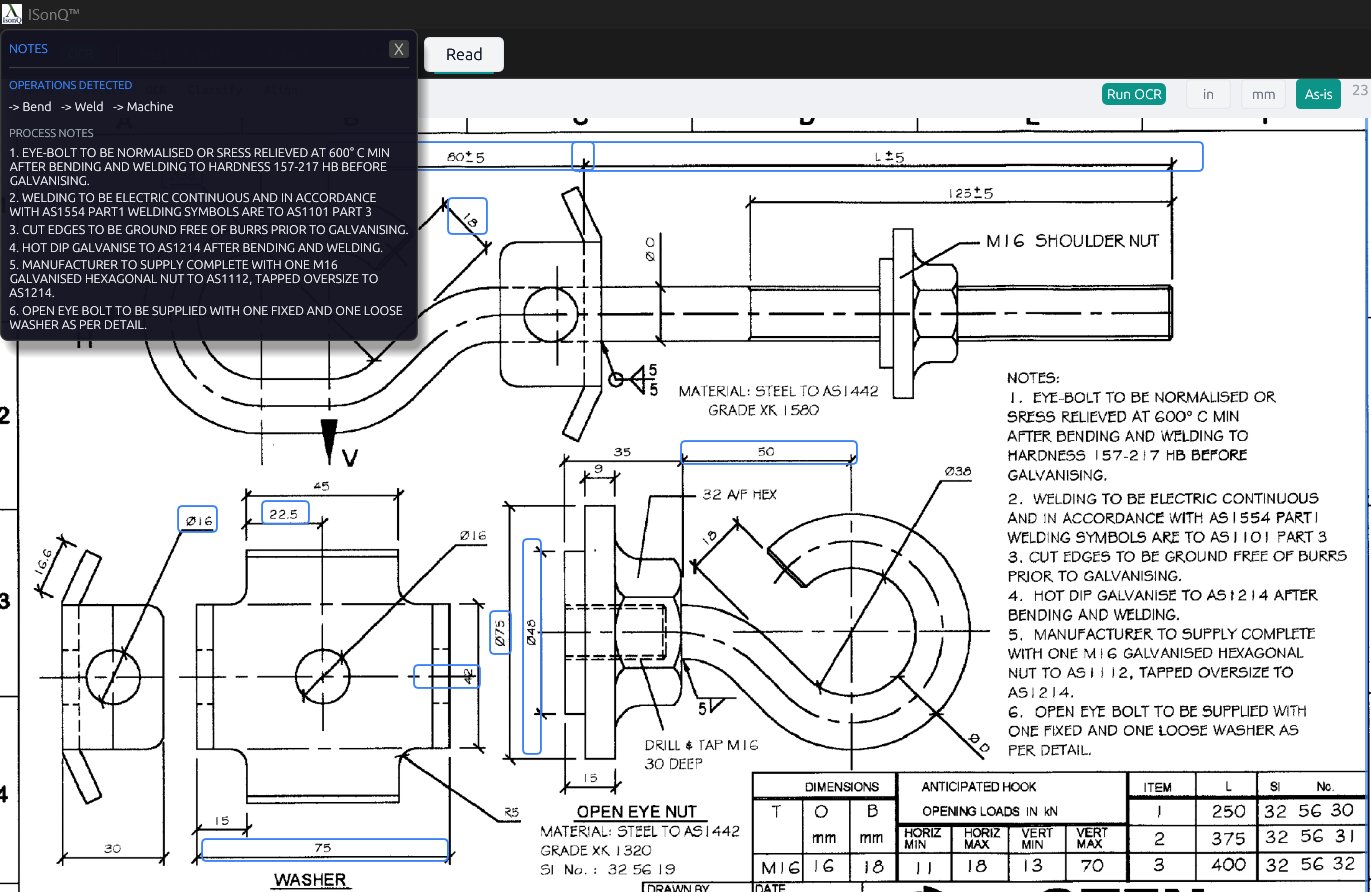
Process-related signals are detected and grouped. Operations like weld, bend, and machine are identified from the drawing notes and tied back to the print.
Approve + handoff ends the workspace phase.
Once the print has been reviewed in context, the workspace hands the job forward. The next window is no longer about reading the drawing. It becomes quote and production management.
The workspace is the front half of the system: intake, region control, tab-driven review, and signoff before the job moves into draft estimating and downstream shop flow.