Ballooned print
The print with numbered balloons, each linked to its requirement and location. Shown: detail of the redacted 138M demo drawing.
PDF ISONQ
ISONQ reads the print and lists its requirements for your inspector to check. Each one then goes through ballooning, results and AS9102 Rev C Forms 1, 2 and 3 without being retyped.
Application screenshot, sample project. Select to enlarge.
Follow one sample requirement through six steps. Every result traces back to where it sits on the print.
Open the vector PDF print. Every sheet stays in view, so requirements are always checked against the source.Done by: whoever prepares the first article.
Watch this step →Many shops prepare first articles with a PDF viewer, hand-numbered balloons, a spreadsheet and separate folders of certificates. That works. Here is where ISONQ changes the work, and where it doesn't.
Your inspector reviews and corrects the requirements and measures the part with your instruments. Your quality staff decide on sign-off and release. ISONQ prepares and connects the records.
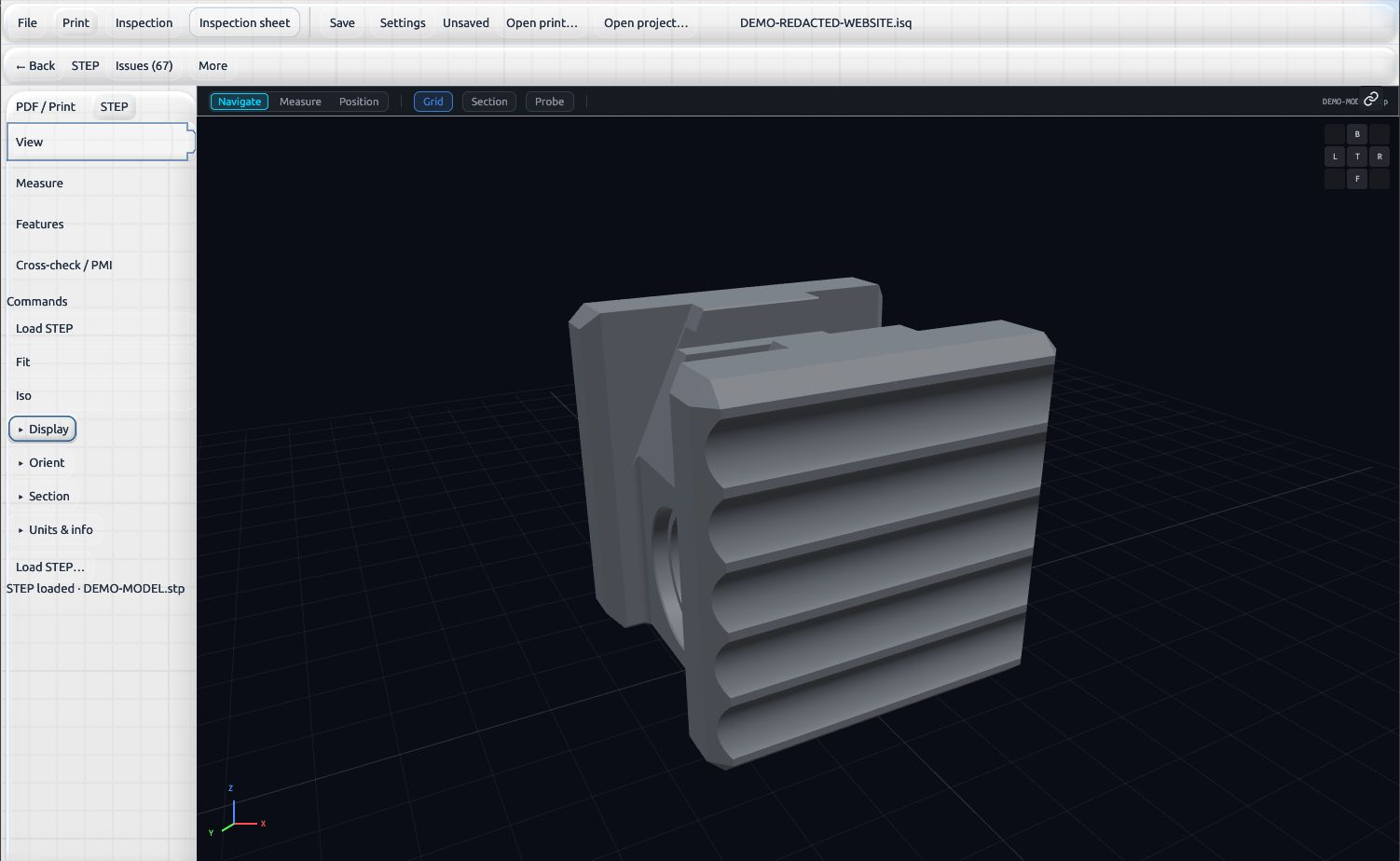
View the STEP model alongside the print to understand the part geometry.
See the STEP viewerIn a small shop, the person copying print details into a spreadsheet is often the one who runs the machine. Enter your own figures.
Calculation. Time recovered per job = your preparation time − 20 min 34 sec (never below zero). Annual hours = time recovered ÷ 60 × jobs per month × 12. Labor value = annual hours × hourly labor cost. Machine capacity = annual hours × % returned × machine value per hour, on one affected machine.
ISONQ example. 502M preparation, timed 22 October 2026: 20 min 34 sec of active work for 7 characteristics (10 recording rows), blank PDF and Excel working sheets, a ballooned print, linked sample attachments and a saved project.
Machine rate. $60/h is a worked example: a $120/h full shop rate less $60/h operator cost (MSC, 2018). Labor references: BLS ECEC, Dec 2025 — $37.61/h manufacturing, 1–49 workers; $74.94/h manufacturing professional occupations.
Prepare one print both ways, then compare time, requirements captured and corrections needed.
The print with numbered balloons, each linked to its requirement and location. Shown: detail of the redacted 138M demo drawing.
PDFEvery requirement with its balloon, zone, limits and source, ready for readings. Shown: page 1 of the blank 138M working sheet.
Excel · PDFPart identification, materials and processes, and characteristic accountability, filled as work proceeds.
Excel · PDFForm 2 material, process and functional rows, with certificates attached to the record they support.
Package attachmentsWorking copies can be exported at any point. The final package, with selected attachments such as material certificates and gauge records, is produced after your reviewer signs off.
Prints, inspection data and project files stay on the computer running ISONQ. Core work needs no internet connection.
The website's contact form, hosting and ad tag are covered in the privacy policy.
An optional local add-on that suggests fixes for flagged or unclear requirements; a person approves or rejects each one. Enabled in Settings › Pro processing. About 28.7 GB; needs an NVIDIA GPU with 16 GB+ VRAM, CUDA 13.4 driver, compute capability 7.5+.
Licence data is encrypted with AES-256-GCM and protected by Windows DPAPI. Project-file encryption is optional and not on by default; otherwise files follow your workstation's security.
For software approval, we provide a security and data-handling summary on request: installer signing (IsonQ LLC), network behavior, local data storage and uninstall reporting. Request the summary
Access is by invitation. Tell us about your inspection work and we'll plan an evaluation.
Per-seat annual licensing. Quotes on request.
PRICE TBDList price: [PRICE TBD] per seat, per year.
Government buyers: we provide written quotes and a W-9 for purchase orders and simplified acquisitions.
CONFIRMGovernment purchase card accepted.