VERSION 1.1.48 · BY REQUEST

Request access to ISONQTM.

First article inspection that runs locally. Load a check print, extract every balloon and dimension into the FAIR form, record measurements against each characteristic, and build the package, with no drawing leaving the facility.

Invitation only

Access to the beta is now by invitation only. Request volume has exceeded the number of shops we can support each week at the standard we hold ourselves to, so the installer is issued individually rather than published. Requests are reviewed by a quality engineer and answered within one business day.
Windows 10 & 11 · 64-bit  ·  Free during beta · Authorised users only  ·  Tell us your deployment and we send the matching package
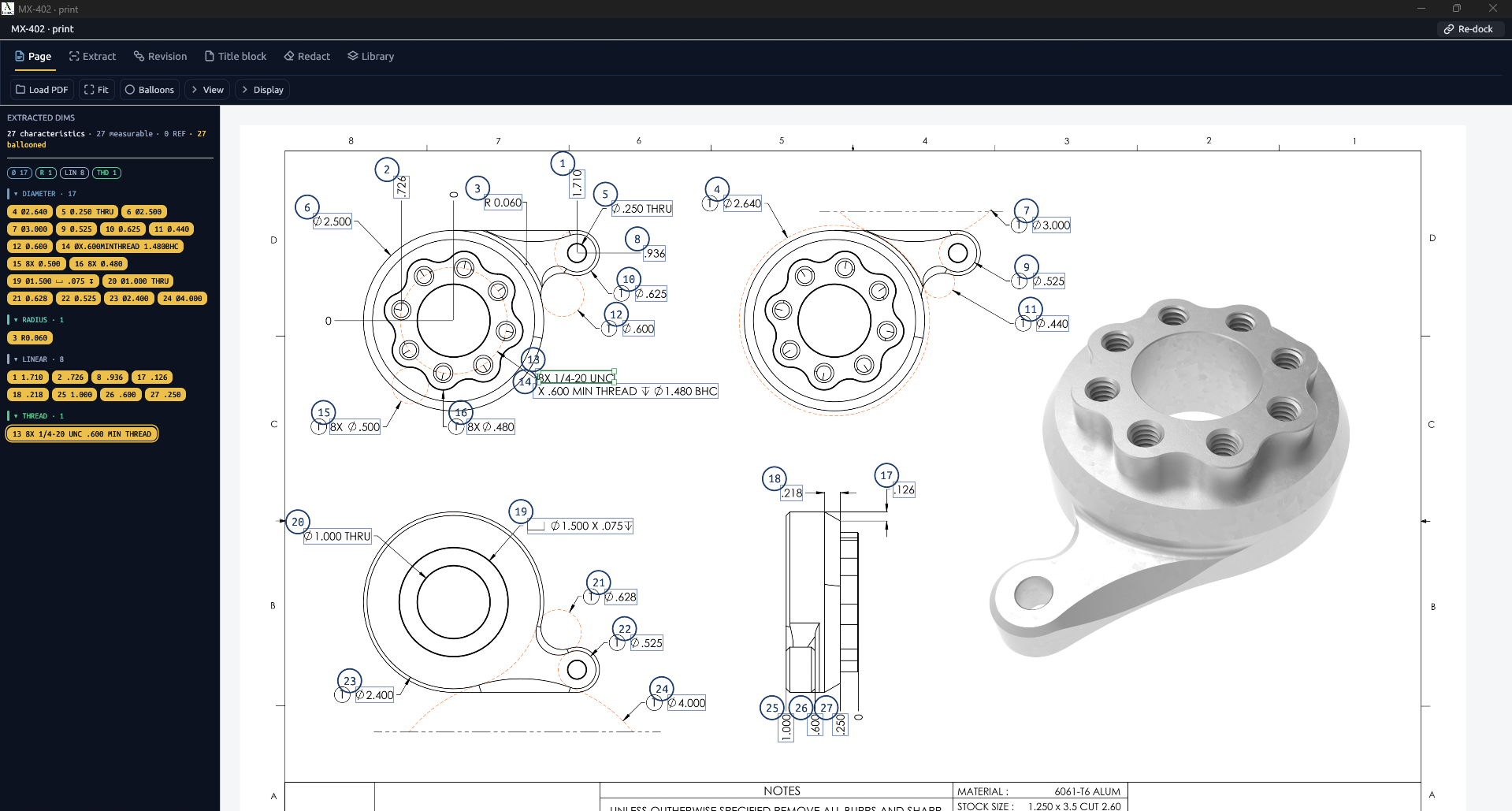
ISONQ 2D print workspace: MX-402 print with 27 ballooned characteristics and the extracted dims panel Click to zoom
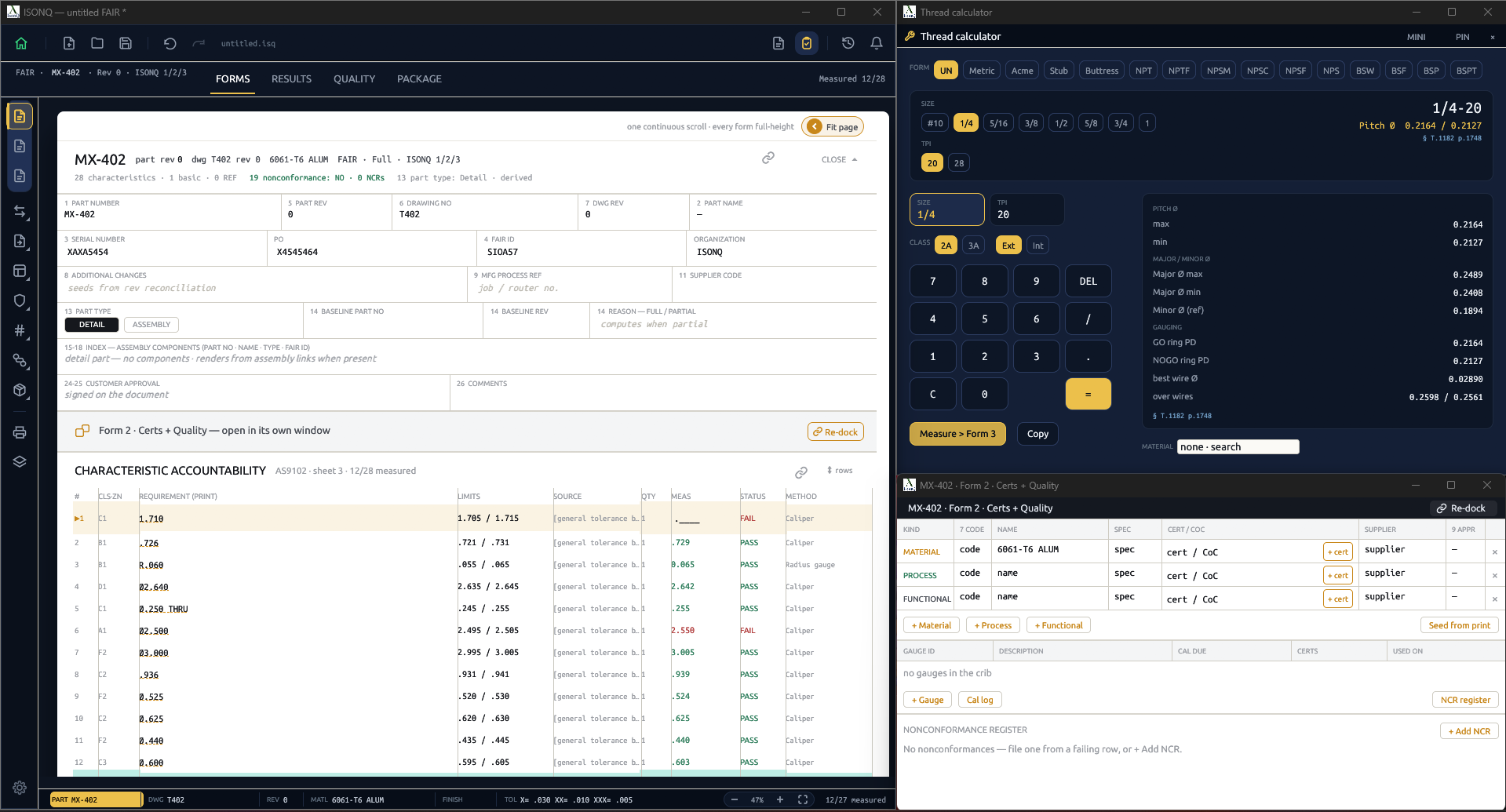
ISONQ FAIR forms: Form 1 part identification, characteristic accountability with measured results, thread calculator and Form 2 certs and quality Click to zoom
2D · Print workspace 3D · Model & forms

Geometry read directly from the sheet

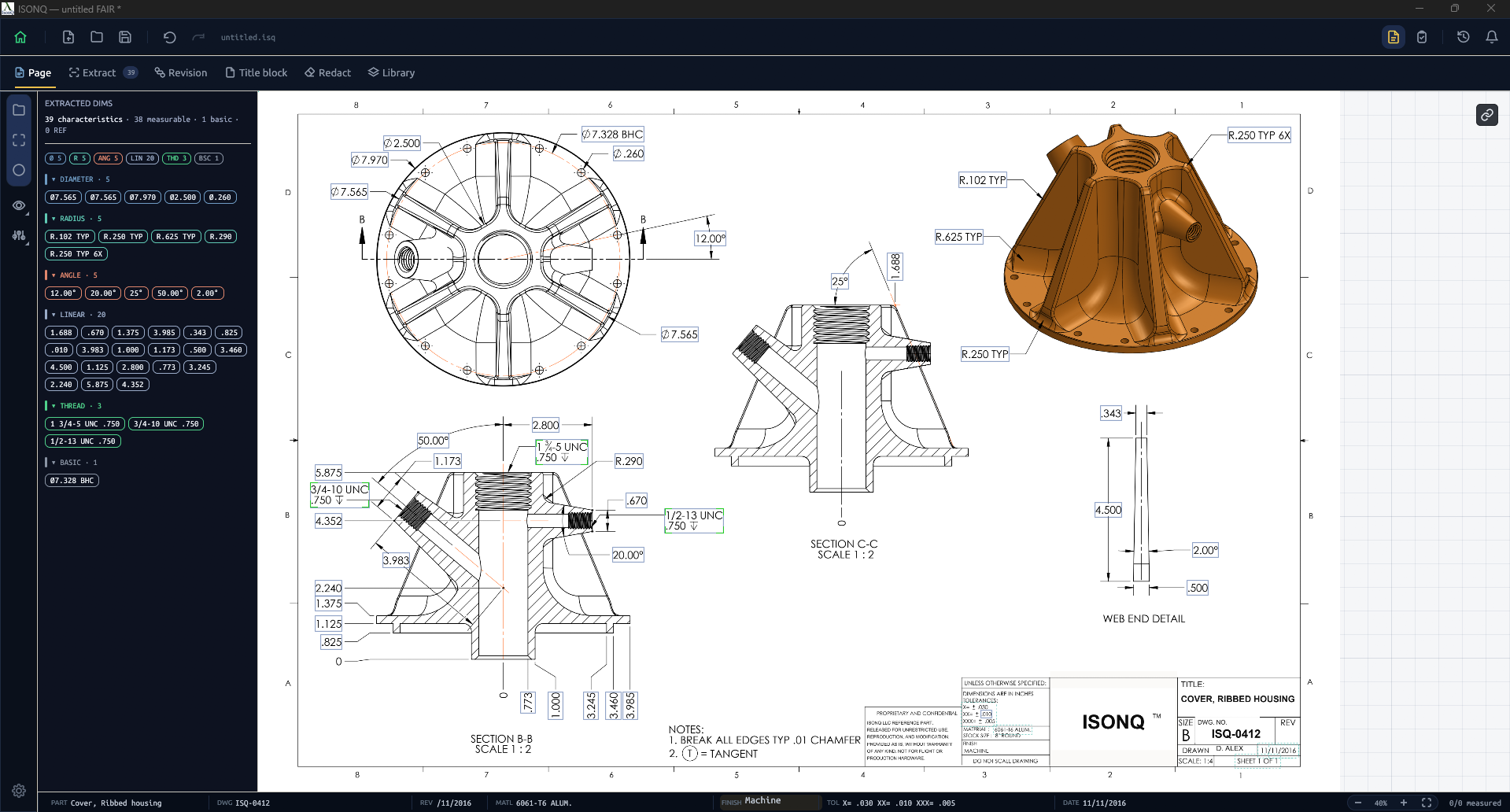
ISONQ works from the vector geometry itself. Dimensions, tolerances, GD&T frames, datums, thread callouts and surface finishes are extracted as structured characteristics, with the title block parsed alongside them.
Vector PDF Dimensions GD&T frames Datums Threads Surface finish Title block
Print workspace Click to zoom ⌀7.328 BHC R.250 TYP 6X 3/4-10 UNC .750 12.00° 4.500 ISONQ print workspace: ISQ-0412 ribbed housing with 39 extracted characteristics grouped by diameter, radius, angle, linear, thread and basic

Solid model alongside the drawing

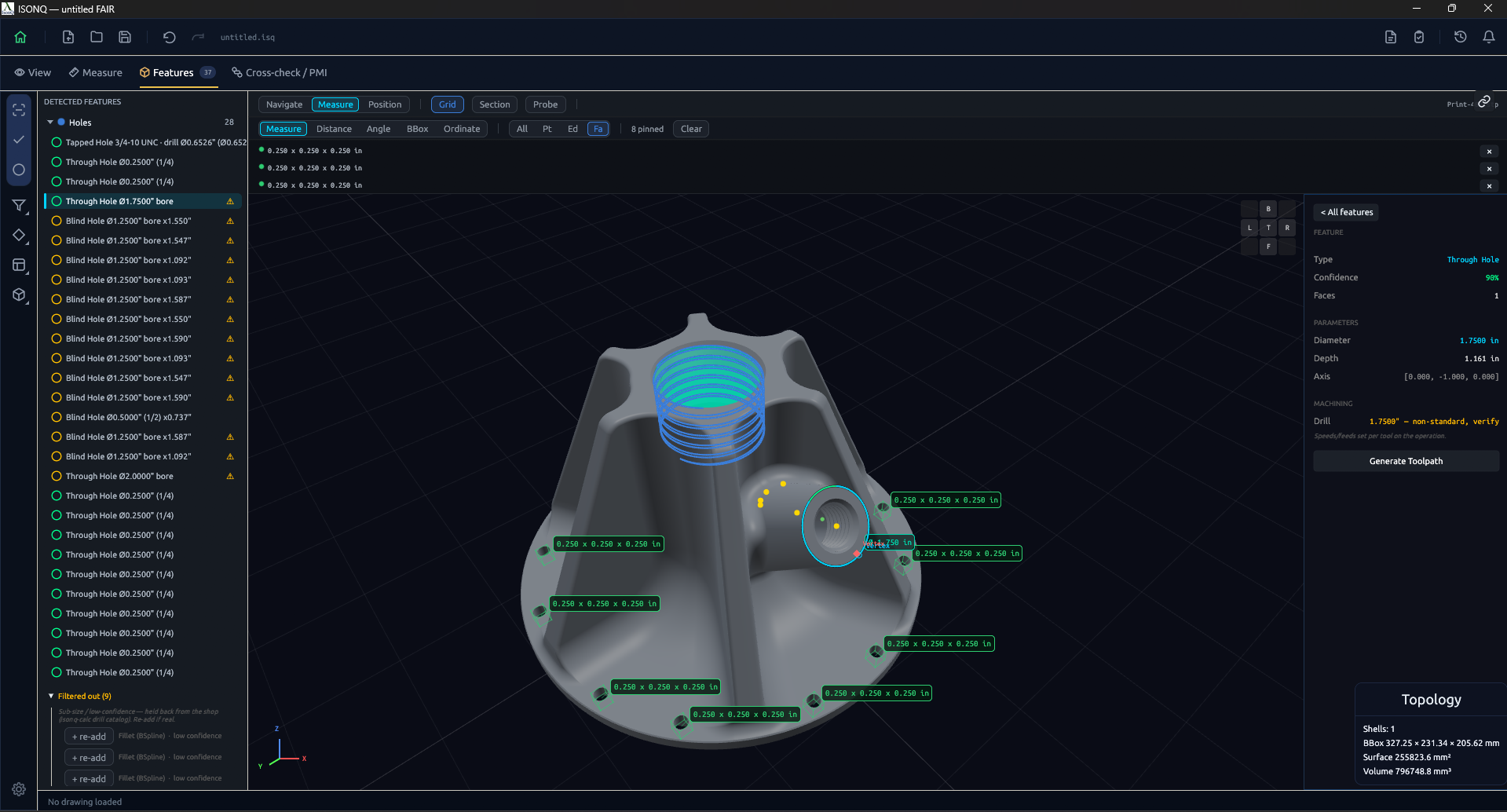
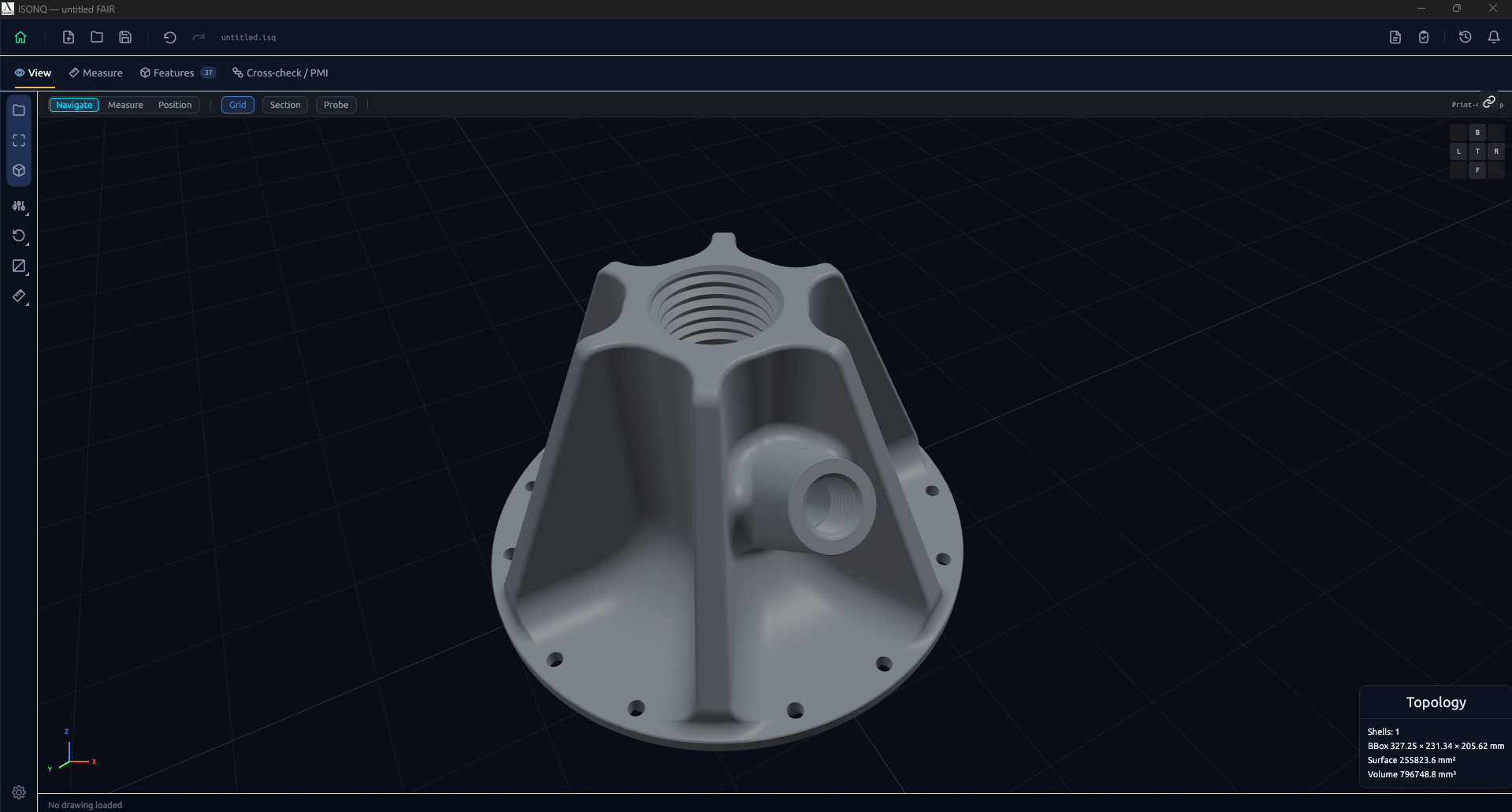
Load the STEP model alongside the print and work against the solid as well as the drawing. Orbit the part, select a face, and associate a characteristic with the feature it belongs to rather than with a location on the sheet.
STEP import 3D viewport Orbit & section Face picking Feature link
3D workspace Model loaded Features detected
Features detected on the STEP model: 28 holes listed with confidence, a 1.750 inch through-hole selected and measurements pinned across the part
STEP model loaded in the 3D viewport, shaded, with topology read from the solid
Loaded Features Drag to compare

Ballooning, correction and measurement

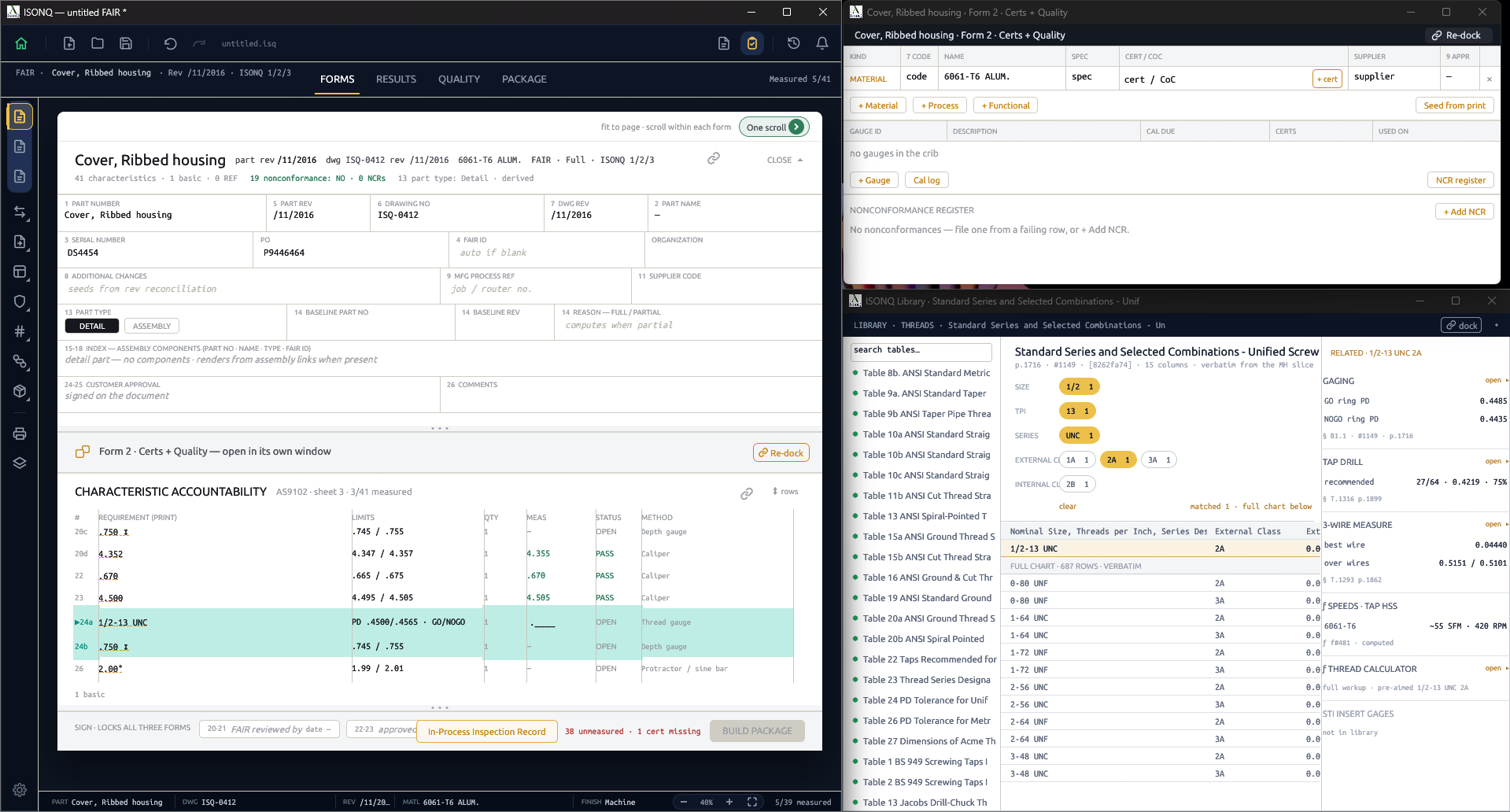
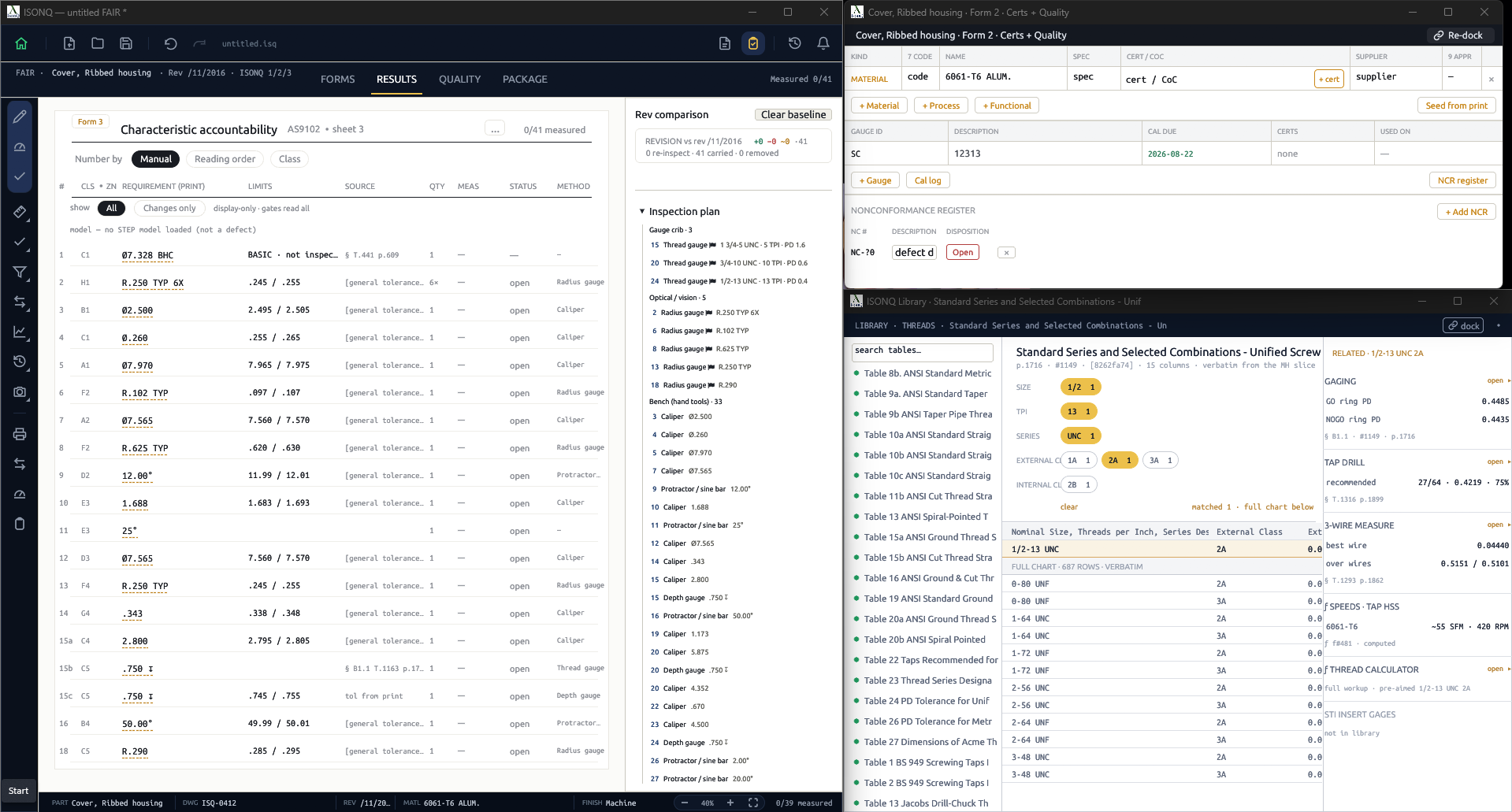
Selecting a characteristic balloons it and populates its row: number, limits, quantity and inspection method. Where the parser fragments a thread note or merges two dimensions, the bounding box is redrawn and the characteristic re-classified. No extraction is committed without operator confirmation.
Ballooning Limits from tolerance Manual correction Re-classify Method per class Thread calculator
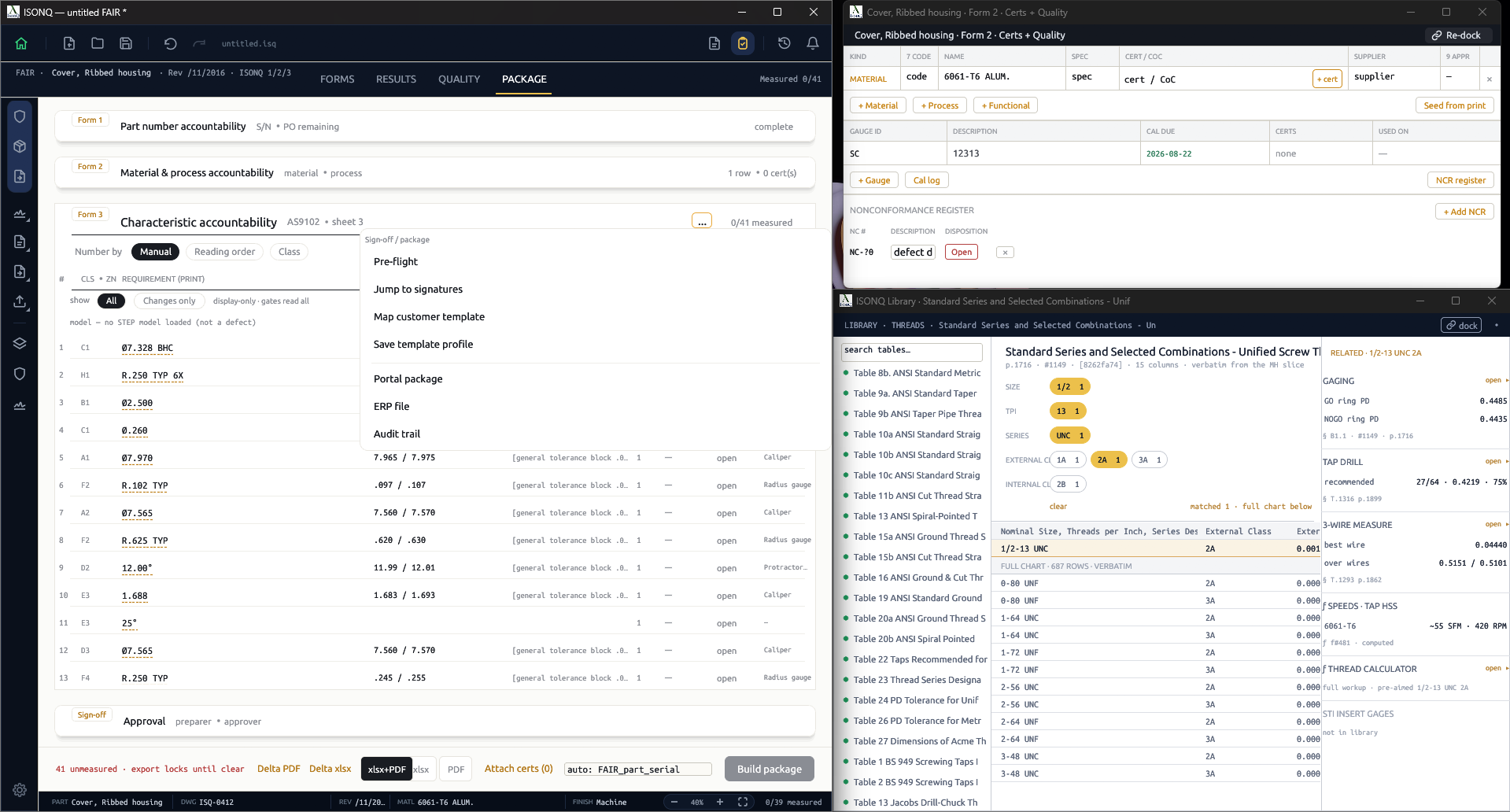
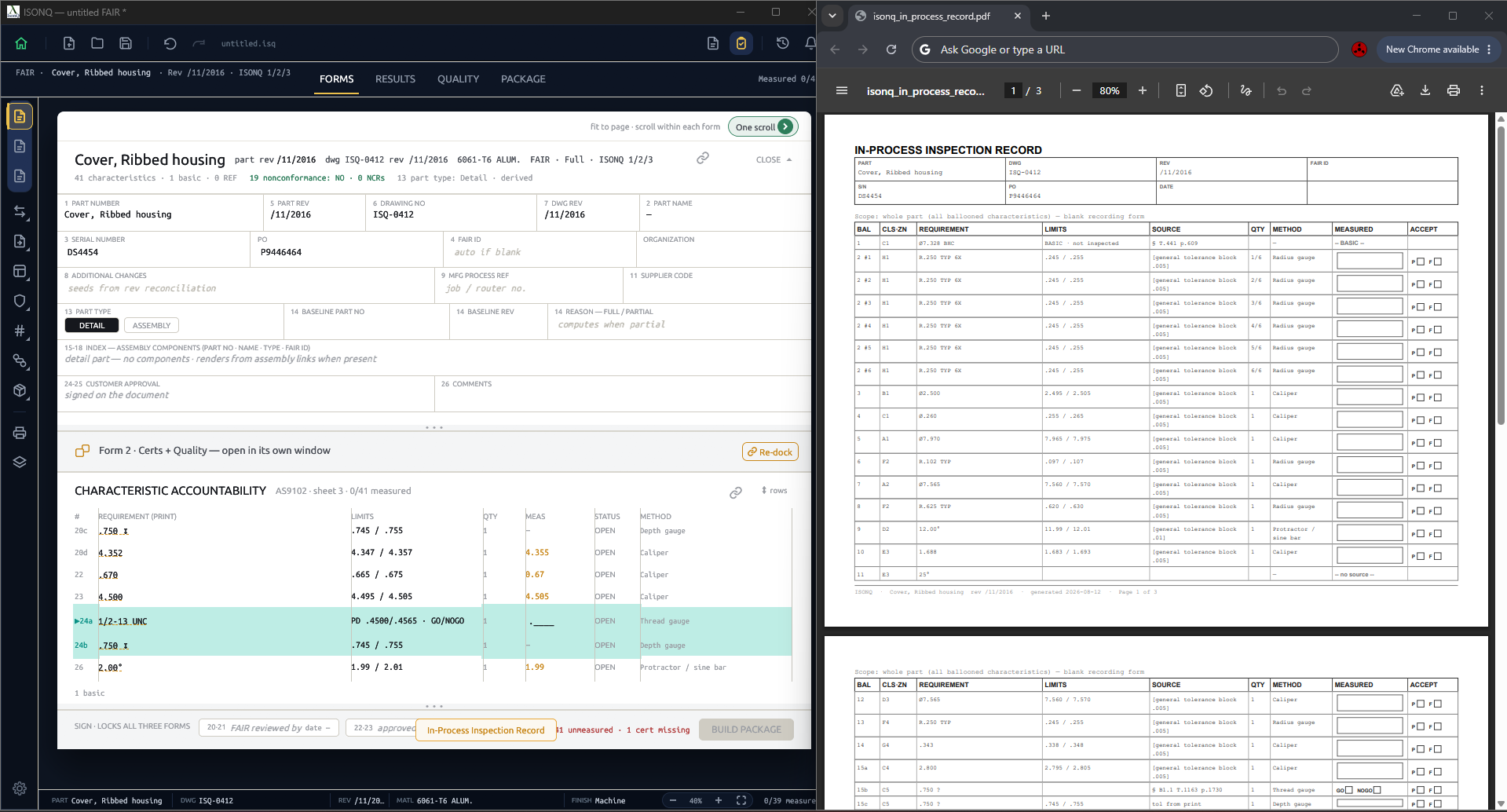
Measuring Inspection plan Click to zoom Measuring a 1/2-13 UNC thread against the gauge crib, with the thread table open in the library Results view: characteristic accountability beside the generated inspection plan and nonconformance register

Forms 1, 2 and 3, completed and signed

Part identification, materials and processes, and the full characteristic accountability sheet are populated as work proceeds. Export to Excel or PDF, or print a blank in-process record for manual completion.
AS9102 Rev C Form 1 Form 2 Form 3 Excel export PDF export Blank record
Build package In-process record Click to zoom Package tab: Forms 1, 2 and 3 accountability with the sign-off menu open on portal package, ERP file and audit trail The generated in-process inspection record PDF, a blank recording form covering every ballooned characteristic
SETUP AND REMOVAL

What you are installing.

ISONQ installer registering components at 73 percent Click to zoom
01 · INSTALL

Unattended installation

The installer registers its components and completes without configuration. No account is required. An .msi package is available for group deployment.
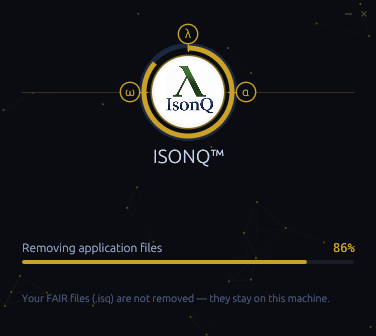
ISONQ uninstaller removing application files at 86 percent, with a note that FAIR files are not removed Click to zoom
02 · UNINSTALL

Records retained on removal

Removal affects application files only. FAIR records remain in place, as stated by the uninstaller during removal.
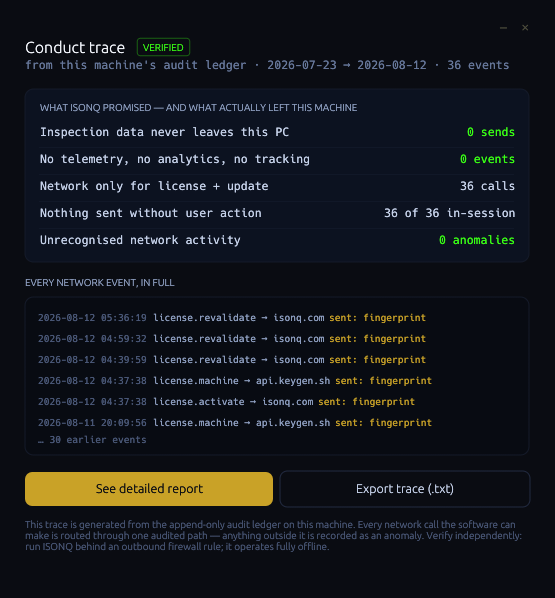
ISONQ conduct trace: zero sends of inspection data, zero telemetry events, 36 network calls for licence and update, zero anomalies, with the full event log Click to zoom
03 · CONDUCT TRACE

Independently verifiable

The application maintains an append-only ledger of every network call and presents it in full: inspection data transmitted, telemetry events, anomalies. The ledger exports as text, and the application operates under an outbound firewall deny rule.

StandardAS9102 Rev C
Forms produced1, 2 and 3
Print inputVector PDF
Export formatsExcel, PDF, print
Operating systemWindows 10 / 11 · 64-bit
Installer.exe · .msi available
Trial90 operation days
Current buildv1.1.48
Signed asIsonQ LLC

Evaluate it on a production print.

Request access and we will email the installer, licensed to your shop. Operates offline once installed.

Request access
AS9102 · FAIR FORMS 1–3 · LOCAL–FIRST
© 2026 IsonQ™ LLC · Lakewood, Colorado, USA · CAGE Code: 242Q9 · SAM UEI: XRE6AL1NMPV9 · Site access restricted to the United States · Privacy · Terms